
An LMS API your developers can read before they buy
Continuum Learn has a documented REST API for connecting your membership system, CRM, intranet or website: read the catalogue, create learners, enrol them and read their progress, with signed webhooks for what happens next. The documentation and OpenAPI spec are public, and the API is on every plan.
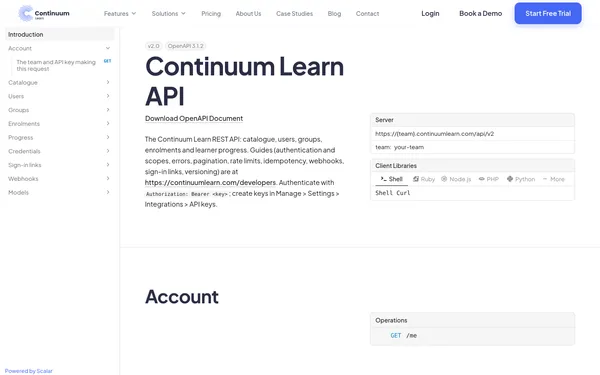
Published limits, cursor pagination, one error format and idempotent retries, so an integration behaves the same on the first day and the thousandth.
- OpenAPI 3.1 spec, no sign-in needed
- Webhooks signed to Standard Webhooks
- Included on every plan
What can the Continuum Learn API do?
The Continuum Learn API (v2) lets your own systems read the course and event catalogue, create and update users, manage groups, enrol learners on courses and read their progress, quiz results, attendance and issued certificates. Webhooks tell your systems when someone joins, enrols, completes a course, receives a certificate or places an order, and sign-in links move a learner from your portal into Continuum without a second password.
It is a JSON REST API over HTTPS. Each request carries a team API key, created by an administrator in Manage > Settings > Integrations and limited to the scopes you choose, such as enrolments:write or progress:read. Every list pages the same way, every error has the same shape, and POST requests accept an Idempotency-Key so a retry after a timeout can't enrol someone twice.
Everything is documented in public on the developer portal, with an API reference generated from the code and a downloadable OpenAPI spec your developer can import into Postman. If you don't have a developer, the website embeds and the WordPress plugin need no code at all. To compare every option, see LMS website integration.
Public documentation, a written deprecation policy, and the same API on every plan
From key to first sync
A typical membership-system integration, in the order a developer builds it.
Create a scoped key
An administrator creates a named key in Manage > Settings > Integrations, ticking only the scopes it needs. It is shown once and stored as a hash.
Sync people and enrolments
Your system creates or finds learners by email or by your own membership number, puts them in groups and enrols them on courses.
Listen for what happens
Webhooks send completions, certificates and orders back to your system as they happen, so nobody has to export a spreadsheet.
Documentation you can read today
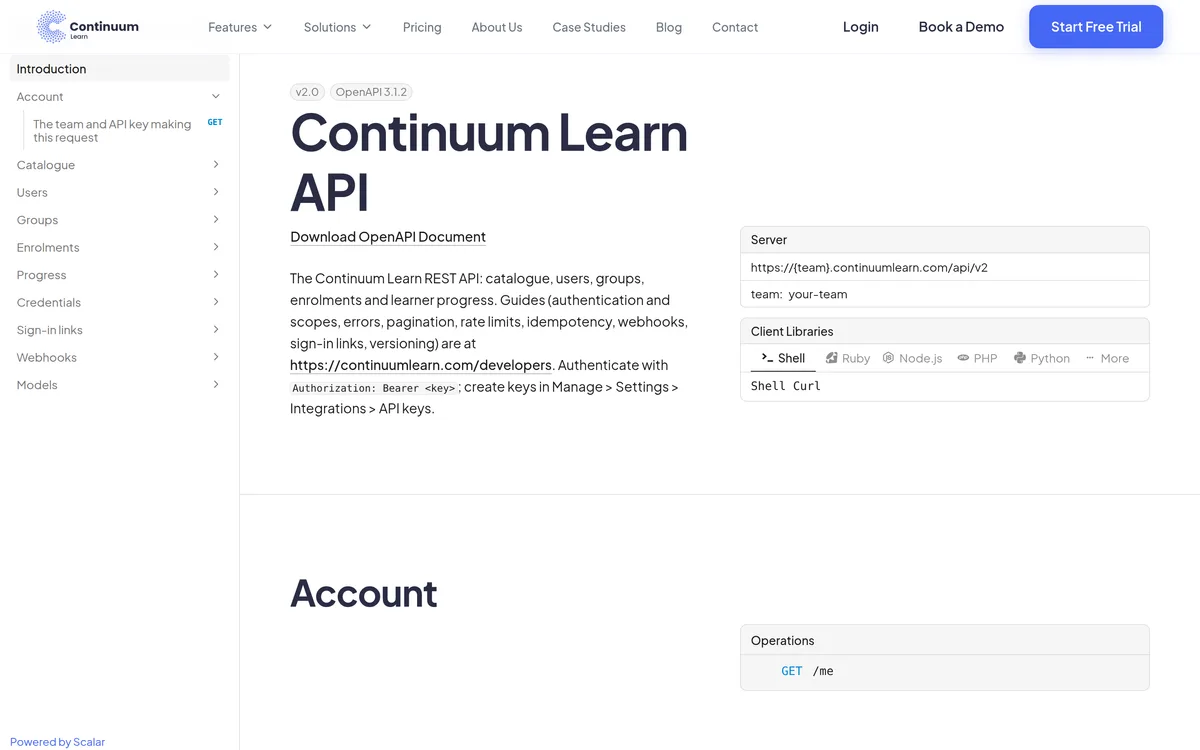
The developer portal and API reference are public: no account, no sales call.
The API reference
Every endpoint with its scope, parameters and response, generated from the code and published as an OpenAPI 3.1 file. Open the reference.
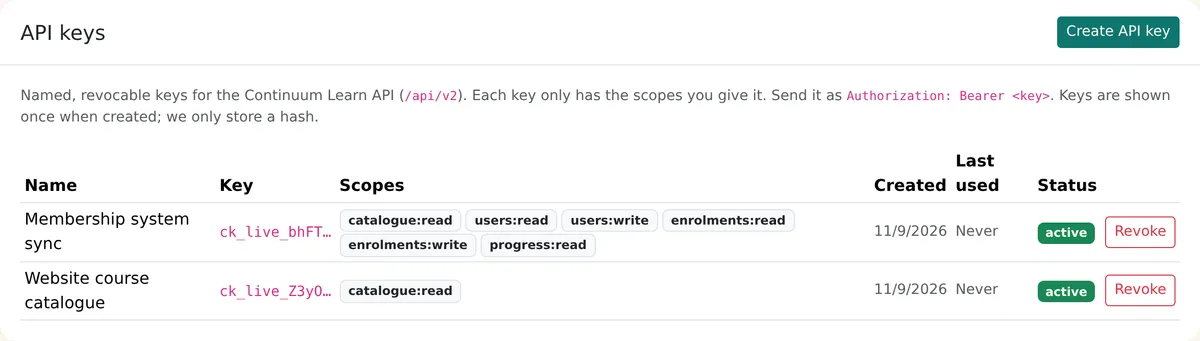
Keys an administrator controls
Manage > Settings > Integrations > API keys: each key has a name, its own scopes, an optional expiry date and a last-used date, and can be revoked in one click. See how to create an API key.
Why developers find it easy to work with
The parts of an API that cause integration problems are written down and consistent.
Public, generated documentation
Guides on the developer portal and an OpenAPI 3.1 spec generated from the code, so the reference and the API can't drift apart.
Scoped, hashed keys
Keys are named, limited to the scopes you tick, stored only as a hash, can expire, and can be revoked at once. A key only ever sees its own team.
Published limits
300 requests a minute per key and 600 per IP address, with X-RateLimit and Retry-After headers. See rate limits.
Safe retries
Send an Idempotency-Key with any POST and a retried request returns the first response instead of doing the work again.
What organisations connect
Membership systems (AMS and CRM)
Create learners when people join, match them by membership number, put them in groups by grade or region, enrol them, and send completions and certificates back to the member record.
Intranets and member portals
Show a member's courses and progress on your own portal, and use a sign-in link to take them into Continuum without a second password.
Websites and finance systems
Read the catalogue to build your own course pages, and receive an event for every completed order. For a no-code website option, see website embeds.
What the API covers
API v2 resources and events
Catalogue
Courses, public and private, with price, capacity, CPD hours, certificate validity, presenters, languages and the module and lesson outline. Course folders and published events with sessions and tickets.
Users
Find people by email or your own external id, create learners, update custom fields and groups, deactivate, reactivate and remove. Administrators are protected from changes.
Groups
Create groups with your own reference, add and remove up to 100 members a call, and assign a group to a course so every member is enrolled.
Enrolments
Enrol by user id, email or membership number. Idempotent, capacity-aware with an optional waiting list, and silent for bulk syncs.
Progress and results
Status, percentage, start and completion dates, quiz attempts and scores, attendance and sign-off, plus every issued course and programme certificate with its verification link and signed credential.
Signed webhooks
Users joining and leaving, direct enrolments, completions, certificates and orders, signed to the Standard Webhooks specification, retried for about 27 hours and redeliverable from a 30-day log.
Sign-in links
Create a single-use link, valid for up to five minutes, that signs a learner in from your own portal. Never for administrators or accounts with two-factor authentication.
A deprecation policy
Only additive changes within v2, and at least 12 months' notice before anything you rely on is removed. Every change is in the changelog.
Every plan
The API, webhooks and website embeds are included on every Continuum Learn plan, with the same limits. See pricing.
How LMS APIs compare on the details
Competitor details checked on vendor documentation in November 2026 and may have changed.
Frequently asked questions
Does Continuum Learn have an API?
Yes. API v2 is a documented JSON REST API for the course catalogue, users, groups, enrolments and learner progress, with signed webhooks and sign-in links. The guides and the OpenAPI spec are public on the developer portal.
Is the API included in every plan?
Yes. The API, webhooks and website embeds are included on every Continuum Learn plan at no extra cost, with the same published rate limits.
Can I connect Continuum Learn to our membership system?
Yes. A typical integration creates or finds learners by email or by your membership number, sets their groups, enrols them on courses and receives completions and certificates through webhooks. Your developer or AMS supplier builds it against the documentation. Membership systems can also push updates to Continuum through inbound webhooks.
How does the API authenticate?
With a team API key sent as a Bearer token. An administrator creates the key in Manage > Settings > Integrations, chooses its scopes and can set an expiry date. Keys are shown once, stored only as a hash and can be revoked at any time. See how to create an API key.
What are the rate limits?
300 requests a minute per key and 600 a minute per IP address, with a short lockout after repeated failed authentication. Responses carry X-RateLimit headers and a 429 carries Retry-After. See rate limits.
How are webhooks secured?
Each delivery is signed with an HMAC-SHA256 signature over the event id, a timestamp and the body, following the Standard Webhooks specification, so receivers can reject forged or replayed requests using ready-made libraries for PHP, Node, Python and other languages. Secrets can be rotated with a 24-hour overlap.
Can we sign learners in from our own website or portal?
Yes. Your server can create a single-use sign-in link that lasts at most five minutes and takes the learner into Continuum without a second password. Links are never issued for administrators, accounts with two-factor authentication or teams that require single sign-on. See sign-in links, or single sign-on if you have an identity provider.
Will changes to the API break our integration?
Not without warning. Within v2 we only make additive changes, such as new endpoints and fields. Anything that could break an integration only comes in a new version, announced at least 12 months before the old behaviour stops. See the versioning and deprecation policy.
Can we try the API before we commit?
You can read the full documentation and download the OpenAPI spec without an account. To make calls you need a Continuum team; book a demo and we will help you test your integration.
Is there an older API?
Yes. API v1 uses a single team key and is used by the WordPress plugin. It keeps working but is frozen: new integrations should use v2.
Planning an integration?
Send your developer the documentation, or book a demo and we will walk through the API with your membership system in mind.