
Sell online courses in US dollars, euros and nine other currencies
Choose the currency your portal sells in, and every course, bundle, group price and event ticket is priced and charged in it. Buyers pay by card, the money goes to your own Stripe account and past orders keep the currency they were paid in.
Pounds sterling, US, Canadian, Australian, New Zealand and Singapore dollars, euros, Swiss francs, and Swedish, Norwegian and Danish kroner.
- Prices, cart, receipts and invoices in your currency
- Paid into your own Stripe account
- Past orders keep their original currency
How to sell courses in another currency with Continuum Learn
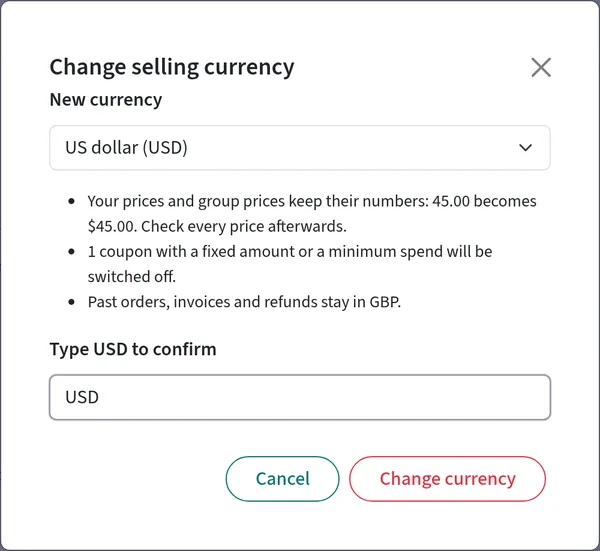
Pick your selling currency in Manage > Selling > Selling settings > Currency, tax & invoices, type the currency code to confirm, and your portal sells in it from that moment. Learners see prices like $45.00, the cart totals in your currency and Stripe charges them in it.
Each Continuum portal sells in one currency. It is pounds sterling unless you change it, and you can change it if your business is based outside the UK, or if you are in the UK and not VAT registered. Courses, bundles, event tickets and group prices all follow the portal's currency, so there is no per-product currency to keep in step and a buyer never sees two currencies in one cart.
Switching keeps your numbers: a course at 45.00 is sold at 45.00 in the new currency, with no exchange rate applied, so you review your prices afterwards. Fixed-amount coupons and coupons with a minimum spend are switched off, because their amounts were set in the old currency, and you switch them back on once you have checked them. Orders, invoices, credit notes and refunds already made keep their original currency, and reports list sales in an earlier currency on a separate line rather than adding pounds to dollars.
Things to know before you commit. Continuum doesn't calculate sales tax, GST or VAT for sellers outside the UK, so your buyers pay the price you set and the tax on your sales stays with you. UK sellers who are VAT registered sell in pounds for now, because a UK VAT invoice in another currency must also show the VAT in sterling. You can't sell the same course in two currencies at once. Currencies without pence or cents, such as the Japanese yen, aren't supported. For how course selling works in general, see sell online courses.
Step-by-step guide: how to sell in US dollars, euros and other currencies in Continuum Learn
One currency per portal, charged through your own Stripe account, with every past order kept in the currency it was paid in
See it in the product
Screens from Continuum Learn. Course names and prices are illustrative.
Your selling currency at a glance
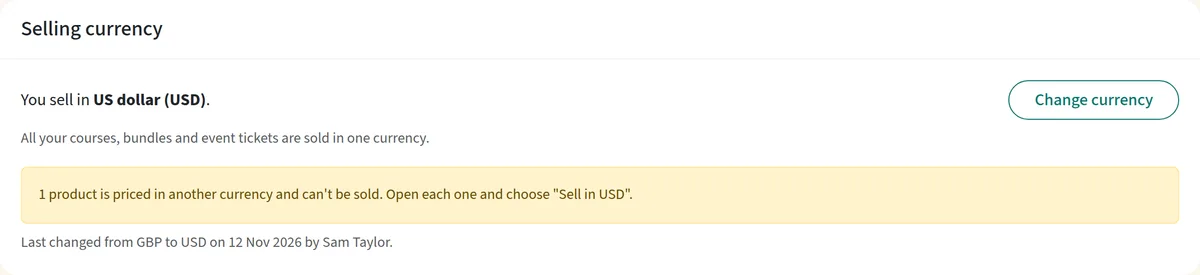
The Selling currency card on Currency, tax & invoices shows the currency your portal sells in, when it was last changed and a Change currency button.
The cart totals in your currency
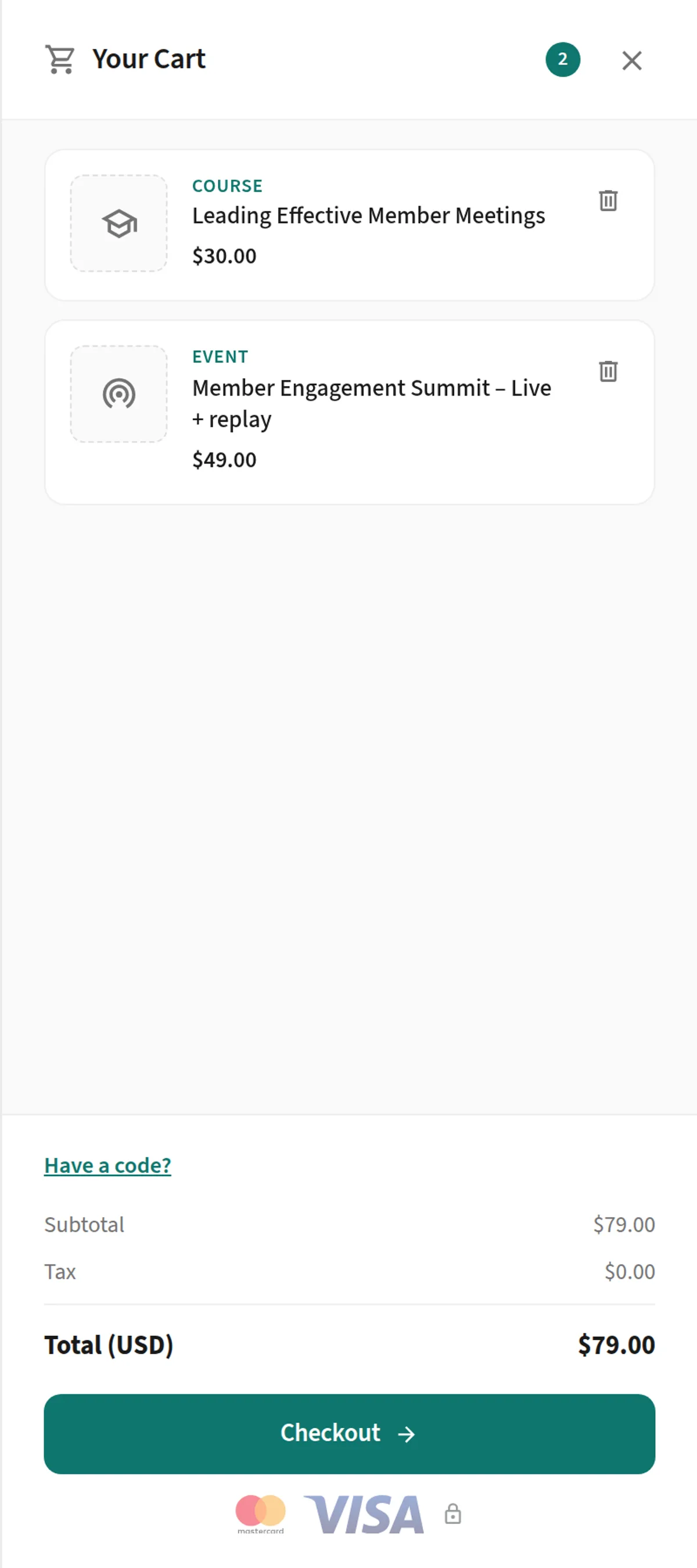
Buyers see each item and the total in your currency, with the currency code on the total line.
Checkout for a seller outside the UK
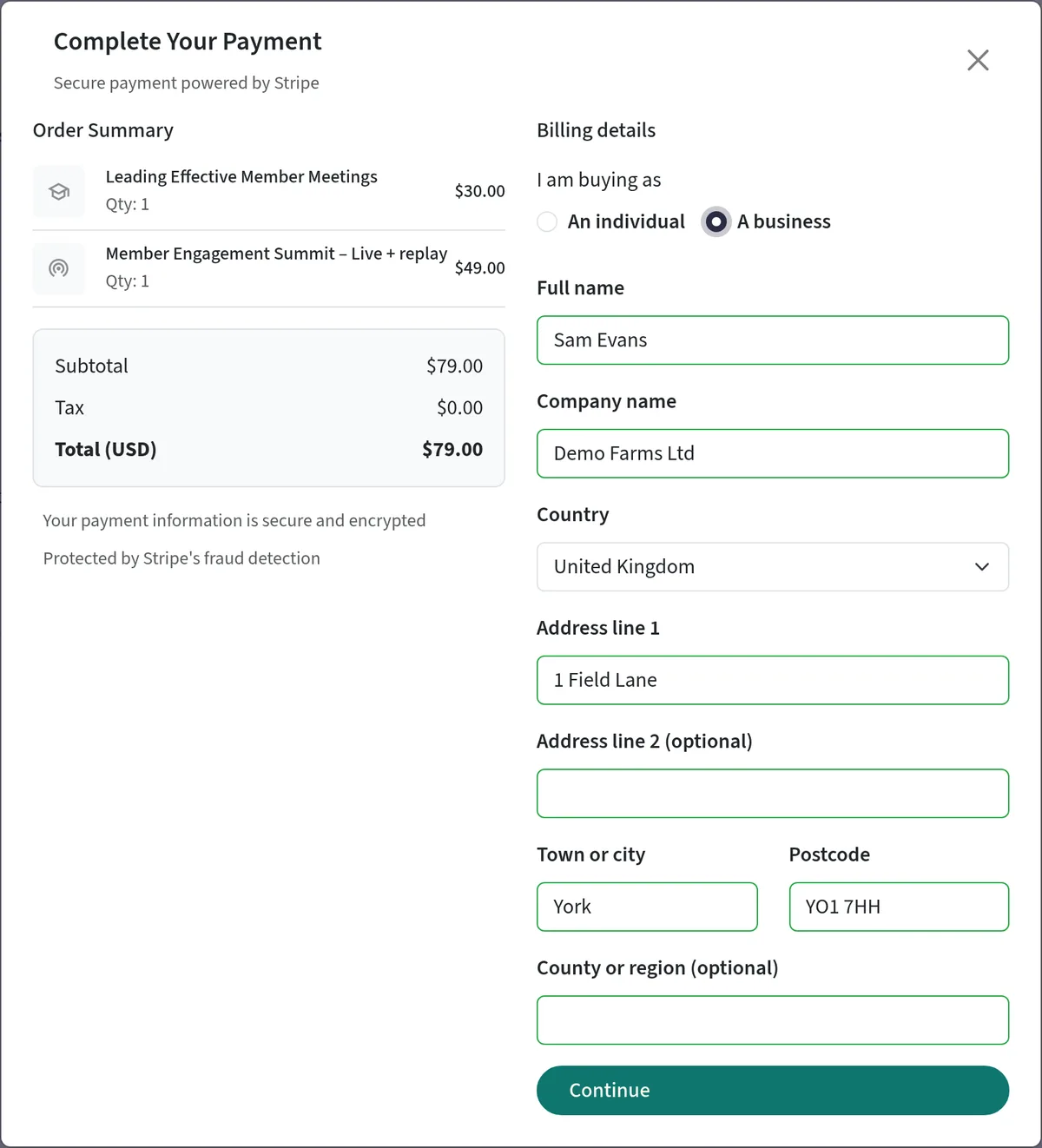
A business buyer sees the order summary in dollars, and no VAT number is asked for.
Why sell in your buyers' currency
Prices in a familiar currency are easier to say yes to, and you avoid explaining exchange rates at checkout.
Prices your buyers recognise
Course cards, the catalogue, event pages and website embeds show the currency symbol, for example $45.00, and the cart shows the total with the currency code.
Paid into your Stripe account
Card payments are direct charges on your own Stripe account. Add a bank account in your selling currency in Stripe and you avoid a conversion fee on every sale; the Selling currency card reminds you when the two differ.
Invoices that fit a seller outside the UK
If you turn invoices on, a seller outside the UK issues an Invoice with no UK VAT wording, and amounts carry the currency code, such as $45.00 USD, so US and Canadian dollars can't be confused.
History that stays accurate
Past orders, refunds and invoices keep their currency, and revenue reports never add two currencies together. Sales in an earlier currency appear on their own line.
Who sells this way
Course creators and coaches outside the UK
Sell courses and bundles to a North American, European or Australasian audience in the currency they pay in, from a site with your own brand. See white-label LMS.
Training providers moving from a course marketplace
Set up your catalogue, price it in your currency and keep the customer relationship, with payments landing in your own Stripe account rather than a marketplace wallet.
UK organisations that aren't VAT registered
A UK charity, association or small provider that is not VAT registered and sells mainly abroad can price its courses and event tickets in dollars or euros.
Selling currency features in Continuum Learn
Everything below is in the product today
Eleven currencies
GBP, USD, EUR, CAD, AUD, NZD, CHF, SGD, SEK, NOK and DKK. The smallest order is 1.00 in most currencies, £0.30 in pounds and 10.00 in kroner, and free items and 100% coupons are not affected.
Typed confirmation
The change dialog says what will happen and how many coupons will be switched off, and asks you to type the currency code before anything changes. The card records when it was last changed and by whom.
One currency everywhere
Courses, bundles, event tickets and group prices all take the portal's currency. The editors show the currency code beside the price, so nobody can set a product to a different one by mistake.
Products priced elsewhere are held back
A product stamped in another currency, for example one copied from another portal, can't be added to the cart until you choose to sell it in your currency with one click.
Billing step for your market
Checkout lists your country first, and if your business is outside the UK, business buyers aren't asked for a VAT number.
Refunds in the original currency
A refund is always made in the currency of the order, so a pounds order refunded after you switch to dollars is still refunded in pounds, and any credit note is in pounds too.
Frequently asked questions
Can I sell online courses in US dollars or euros?
Yes. Each portal sells in one currency: pounds sterling by default, or US dollars, euros, Canadian, Australian, New Zealand or Singapore dollars, Swiss francs, or Swedish, Norwegian or Danish kroner. You choose it under Manage > Selling > Selling settings > Currency, tax & invoices, and every course, bundle, group price and event ticket is then sold in it. See selling in other currencies.
Can I sell the same course in pounds and in dollars?
Not at the moment. A portal sells in one currency at a time. To charge different amounts to different groups of learners, use group prices in your selling currency.
Do my prices change when I switch currency?
The numbers don't. A course at 45.00 is sold at 45.00 in the new currency. Continuum doesn't convert prices with an exchange rate, so review them after you switch. Fixed-amount coupons and coupons with a minimum spend are switched off until you check them.
What happens to orders I've already taken?
Nothing. Each order, invoice, credit note and refund keeps the currency it was paid in, and refunds are paid in that currency. Revenue reports count sales in your current currency and list sales in an earlier one on a separate line.
Does Continuum charge US sales tax, GST or VAT for sellers outside the UK?
No. For sellers outside the UK, no tax is added at checkout: buyers pay the price you set and you are responsible for any tax you owe on your sales. Check with your accountant.
I'm a VAT-registered UK business. Can I sell in dollars?
Not yet. A UK VAT invoice in another currency must also show the VAT in pounds, which Continuum doesn't do yet, so VAT-registered UK sellers sell in pounds. UK sellers who aren't VAT registered can switch.
Which currency will Stripe pay me in?
Stripe pays out in the currency of your bank account. If you sell in a currency your Stripe account has no bank account for, Stripe converts each sale and charges a conversion fee. Add a bank account in your selling currency in your Stripe payout settings to avoid it. Stripe's card fees and a platform fee apply to each sale.
Can I change currency after I've started selling?
Yes, with a typed confirmation, and you can switch back to pounds the same way. Sales carry on straight away in the new currency. It is simplest to choose before your first sale, because your reports then show any earlier sales on a separate line.
Sell in your buyers' currency
Book a demo to see a portal switch to US dollars, a course priced in dollars and the checkout your buyers will use. Tell us where your business is based so we can check your Stripe setup.