
Your LMS, built into your website
Keep the website you have. Continuum Learn runs the courses, events, payments and certificates, and gives you four ways to show them on your own pages, from a snippet you paste in a minute to a server-side integration your developers control.
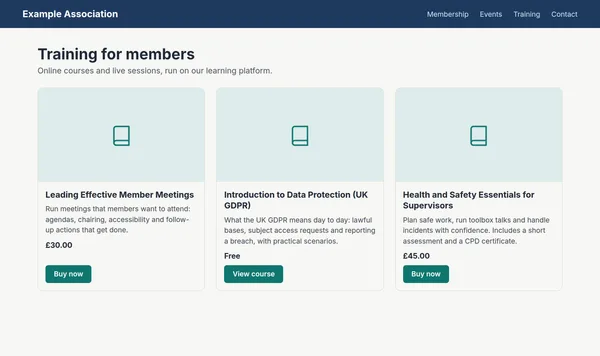
Pick the one that fits your site and your team. You can use more than one.
- Copy-and-paste embeds for any website
- WordPress plugin with member sign-in
- API for server-side integrations
How do I integrate an LMS with my website?
Most organisations keep their website and run the LMS beside it, then connect the two in one of four ways: a copy-and-paste embed that advertises courses, an embedded publication that shows a whole guide, a WordPress plugin, or a server-side integration through the API. Continuum Learn supports all four, so the choice comes down to your website platform, how much search visibility matters and whether members need to sign in from your site.
Learning itself, with progress, quizzes, certificates and discussion, happens on your Continuum academy, which can run on your own domain with your own branding. What changes between the four routes is what appears on your website and who does the work.
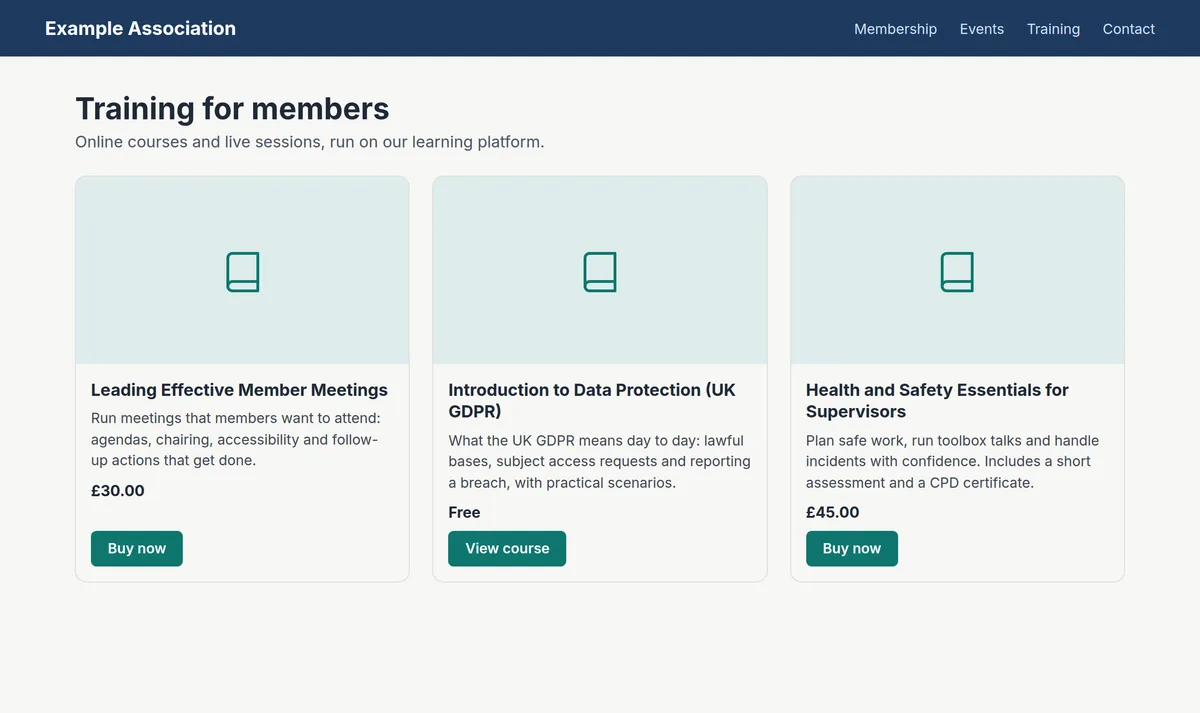
Catalogue embed. Paste a snippet to show course cards, events and buy buttons on Wix, Squarespace, Webflow, WordPress or any HTML page. See website embeds.
Publication embed. Paste a snippet to show a whole guide, handbook or fact sheet inline on your page, with its own navigation. See Publications on your website.
WordPress plugin. Continuum Connect adds shortcodes, buy buttons and sign-in from WordPress. See WordPress LMS.
API and server-side Publications. Your developers fetch courses or ready-made publication pages on your server, so the text is part of your page's HTML for every search engine. See the LMS API and the public developer documentation.
Step-by-step guide: which way should I connect Continuum to my website?
One snippet, any website builder, included on every plan
Where you set it up
Screens from Continuum Learn's demo team.
One page for every route
Manage > Settings > Integrations holds the Website embeds generator and its Allowed websites list, your API credentials and the Continuum Connect plugin for WordPress.
Why run the LMS beside your website
Your website does marketing. The LMS does learning. Each is easier to run when it isn't pretending to be the other.
Nothing to host or patch
The LMS is hosted and updated by us. There is no learning plugin on your web server to secure, and your website stays as fast and simple as it is today.
One source of truth
Course details, dates and prices come from Continuum on every route, so the website never shows last month's price.
Start small, add routes later
Paste an embed this week, add the WordPress plugin when you want member sign-in, and bring in a developer for the API only if you need it.
Included on every plan
Embeds, the WordPress plugin and API access come with every Continuum Learn plan, with no add-on to buy. See pricing.
Which route organisations like yours pick
Membership body on Wix or Squarespace
A catalogue embed on the training page, filtered to the member courses folder, with buy buttons into checkout. See website embeds.
Association with guidance for members
Guides and handbooks published as Publications and embedded on the member site, so members read them without downloading a PDF. See Publications on your website.
Association running WordPress
The Continuum Connect plugin for shortcodes and sign-in from WordPress, plus a publication embed for a handbook. See WordPress LMS.
What you can connect today
Every route below is in the product now
Course and event cards
Live catalogue cards for any website, filtered by folder, language or type, with prices and buy buttons.
Embedded publications
Whole guides on your page in a style-isolated box, with shareable lesson addresses and a working Back button.
WordPress shortcodes
Course lists, single courses, events, buy buttons and a My Learning link from the Continuum Connect plugin.
Sign in from WordPress
Signed links let eligible WordPress members arrive on the academy already signed in.
Server-side Publications
Publication pages delivered as ready-made HTML through the API, so search engines and AI crawlers read the text in your page.
Allowed websites
Choose which websites may show your embeds. Publications are opt-in one by one.
Your own domain
Run the academy on an address such as learn.yourorganisation.org.uk, so the click-through feels like part of your site. See white-label LMS.
Single sign-on
Let staff or members sign in with the account they already use at work through OpenID Connect. See LMS single sign-on.
Attributable traffic
Links from embeds carry utm_source=embed, so you can see which visits and sales came from your website.
Which route should you use?
A quick guide. Most teams start with the embed and add the others as they need them.
All four routes are included on every Continuum Learn plan.
Frequently asked questions
What is LMS website integration?
It is how a learning management system and your organisation's website work together: showing courses on your pages, sending visitors to enrol or buy, and sometimes signing members in from your site. With a hosted LMS such as Continuum Learn, learning happens on the LMS and your website shows and links to it.
Can I add an LMS to my existing website without rebuilding it?
Yes. Paste a website embed into a page to show your courses, events or a guide, or install the Continuum Connect plugin if your site runs WordPress. Your website stays on the platform it uses today.
Which route is best for search engines?
Server-side routes put the text into your page's HTML, so every search engine and AI crawler can read it: the WordPress plugin for course cards, and Publications through the API for guides. Embeds are added by JavaScript. Google renders them, but many other crawlers don't.
Do learners have to leave my website to take a course?
Yes, for courses. Learners take courses on your Continuum academy, where their progress, quiz results and certificates are recorded. You can run the academy on your own domain and branding. Publications, which have no progress or quizzes, can be shown inline on your website.
Can members sign in once from our website?
From a WordPress site, yes, with the Continuum Connect plugin. If your organisation uses an identity provider such as Microsoft Entra ID, Okta or Google Workspace, learners can sign in through it with single sign-on. The copy-and-paste embeds don't sign anyone in.
Do I need a developer?
Not for the embeds or the WordPress plugin: anyone who can add a block of HTML or install a plugin can set them up. A developer is only needed for the API route.
Does Continuum have an API?
Yes. API v2 is a documented REST API for the course catalogue, users, groups, enrolments and progress, with signed webhooks, and Publications can be delivered to your own server as ready-made HTML. It is included on every plan, and the documentation is public on the developer portal. See LMS API.
Can I use more than one route?
Yes. Many teams use a catalogue embed on a non-WordPress site and a publication embed for a handbook, or the WordPress plugin alongside an embedded publication. All of them read the same live catalogue.
Find the right route for your website
Book a demo, tell us which platform your site runs on, and we will show the route that fits, with your own courses.