
In short
In Continuum Learn, your portal sells in one currency, pounds sterling by default. Sellers outside the UK, and UK sellers who aren't VAT registered, can switch to US dollars, euros and others. Prices keep their numbers and past orders keep their currency.
Still deciding? See what Sell in Other Currencies in Continuum Learn can do for your organisation.
Your portal sells in one currency. Every course, bundle, group price and event ticket is priced in it, and so are the cart, receipts and invoices. It is pounds sterling unless you change it.
If you sell to learners in another country, you can switch to US dollars, euros or another supported currency. Learners then see prices like $45.00, and Stripe charges them in that currency.
Who can do this: team members with the Billing role. The setting is in Manage > Selling > Selling settings > Currency, tax & invoices.
Before you start
- Connect Stripe and publish your terms of sale first. See Selling courses.
- UK sellers who are VAT registered can't switch yet. A UK VAT invoice in another currency must also show the VAT in pounds, and Continuum can't do that yet. You can switch if your business is based outside the UK, or if you are in the UK and not VAT registered.
- Tax is yours to handle outside the UK. Continuum doesn't calculate sales tax, GST or VAT for sellers outside the UK yet. See Tax.
- Decide before you take orders, if you can. You can change currency later, but past orders stay in the old currency and your reports show them on a separate line.
Supported currencies
| Currency | Smallest order you can take |
|---|---|
| Pound sterling (GBP) | £0.30 |
| US dollar (USD) | $1.00 |
| Euro (EUR) | €1.00 |
| Canadian dollar (CAD) | $1.00 |
| Australian dollar (AUD) | $1.00 |
| New Zealand dollar (NZD) | $1.00 |
| Swiss franc (CHF) | CHF 1.00 |
| Singapore dollar (SGD) | $1.00 |
| Swedish krona (SEK) | 10.00 kr |
| Norwegian krone (NOK) | 10.00 kr |
| Danish krone (DKK) | 10.00 kr |
A basket that costs less than the smallest amount can't be paid for. Learners see a message asking them to add another item. Free items and 100% discount codes are not affected.
Currencies without pence or cents, such as the Japanese yen, aren't supported.
Set your country and VAT status
Continuum decides whether you can switch from your Country and VAT status, so check these first.
- Go to Manage > Selling > Selling settings > Currency, tax & invoices.
- In Legal details, choose your Country.
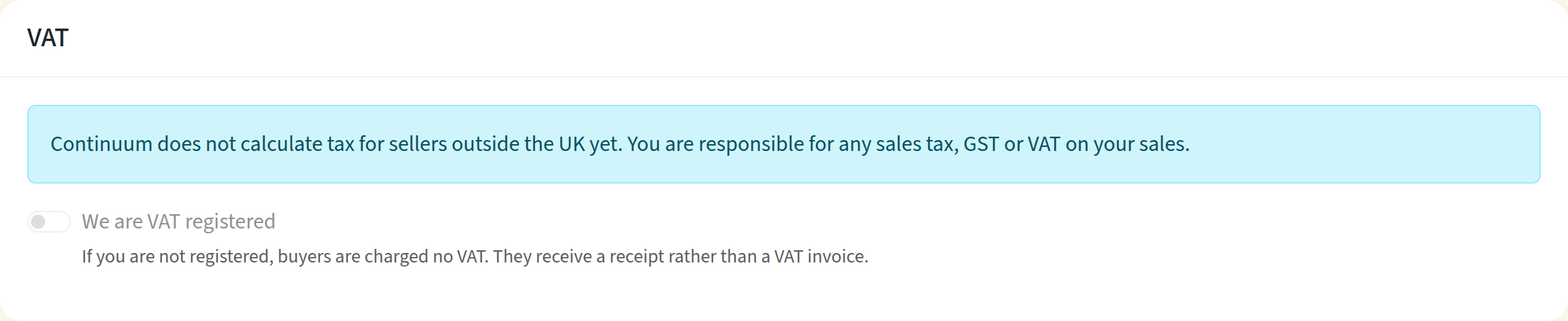
- If your business is in the UK, make sure We are VAT registered is off in the VAT card. If you choose a country outside the UK, it switches off by itself.
- Click Save Changes.
For a business outside the UK, the VAT card tells you that Continuum doesn't calculate tax for you, and the UK VAT settings are hidden.
Change your selling currency
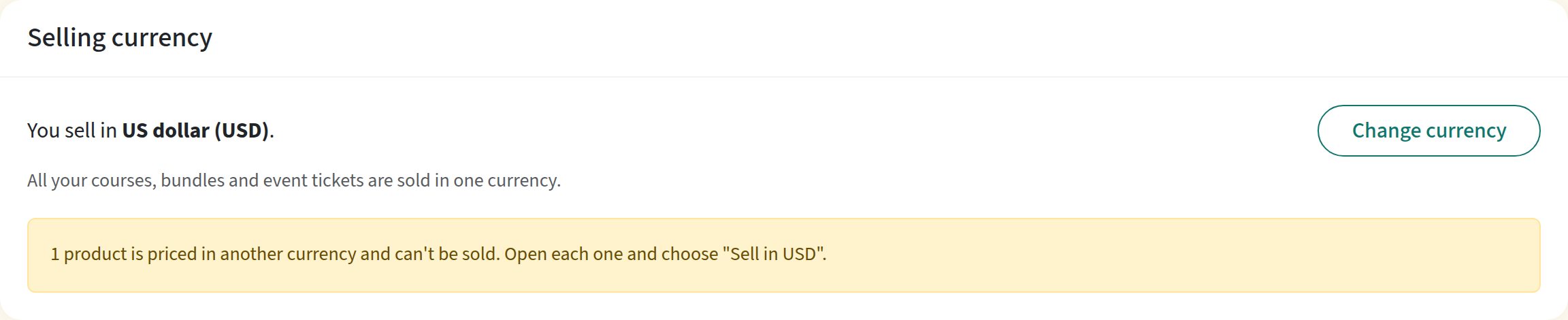
- On Currency, tax & invoices, find the Selling currency card at the top and click Change currency.
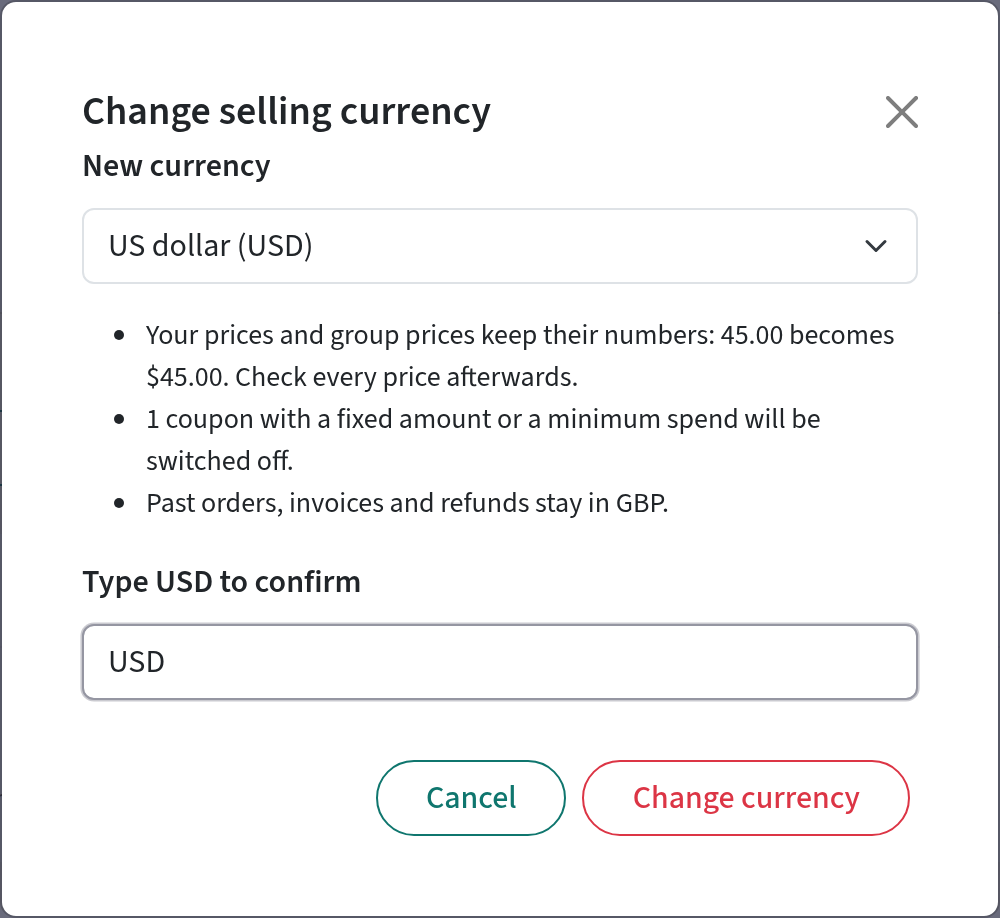
- Choose the New currency.
- Read what will happen. The dialog tells you how many coupons will be switched off.
- Type the currency code, for example USD, to confirm.
- Click Change currency.
A message confirms the change and says how many products and coupons it affected. The card shows when the currency was last changed and by whom.
What changes when you switch
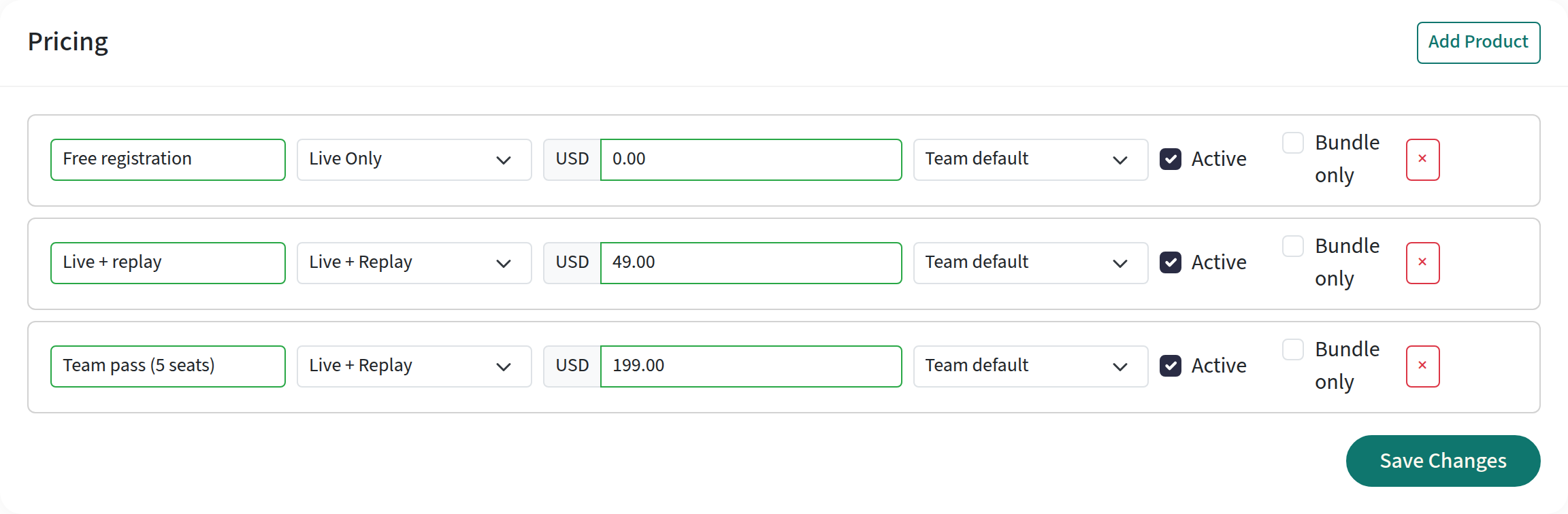
- Prices keep their numbers. A course at 45.00 stays at 45.00, now in the new currency, so £45.00 becomes $45.00. This applies to courses, bundles, event tickets and group prices. Check every price afterwards.
- Sales don't pause. Learners can buy straight away, in the new currency.
- Fixed-amount coupons and coupons with a minimum spend are switched off, because their amounts were set in the old currency. The coupon list marks them Switched off when the selling currency changed. Check the amount, then switch the coupon back on. It then applies in the new currency. Percentage coupons without a minimum spend carry on as before.
- Past orders, invoices, credit notes and refunds keep their original currency. A refund on an old pounds order is still made in pounds.
- Reports count sales in your current currency. Sales in your old currency are listed on a separate line, for example Excludes 12 sales in GBP (£1,240.00). Purchase counts include sales made in an earlier currency.
Course, bundle and ticket editors no longer have a currency choice. They show the currency your portal sells in, and the price box shows its code.
What your learners see
-
Prices on course cards, the catalogue, event pages and website embeds show the currency symbol, for example $45.00.
-
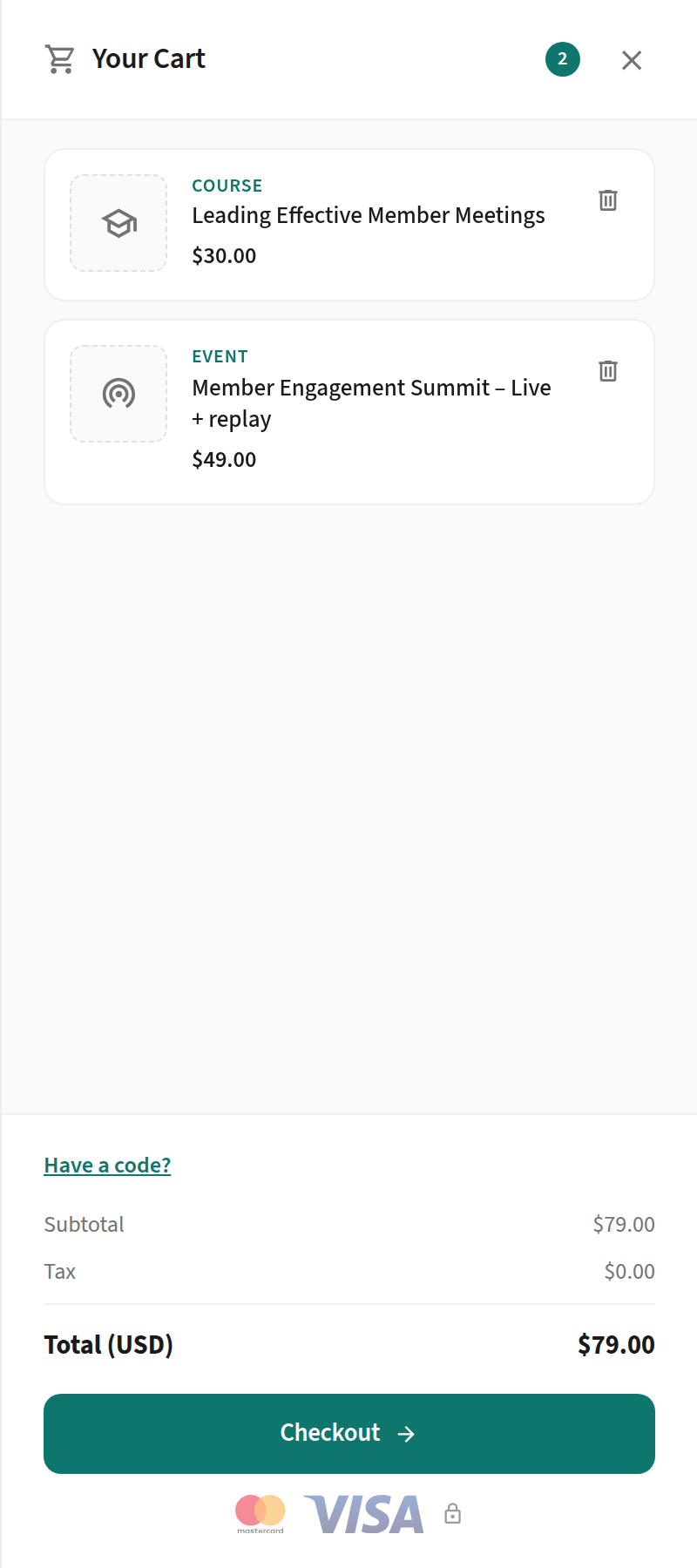
The cart shows the total with the currency code, for example Total (USD).
-
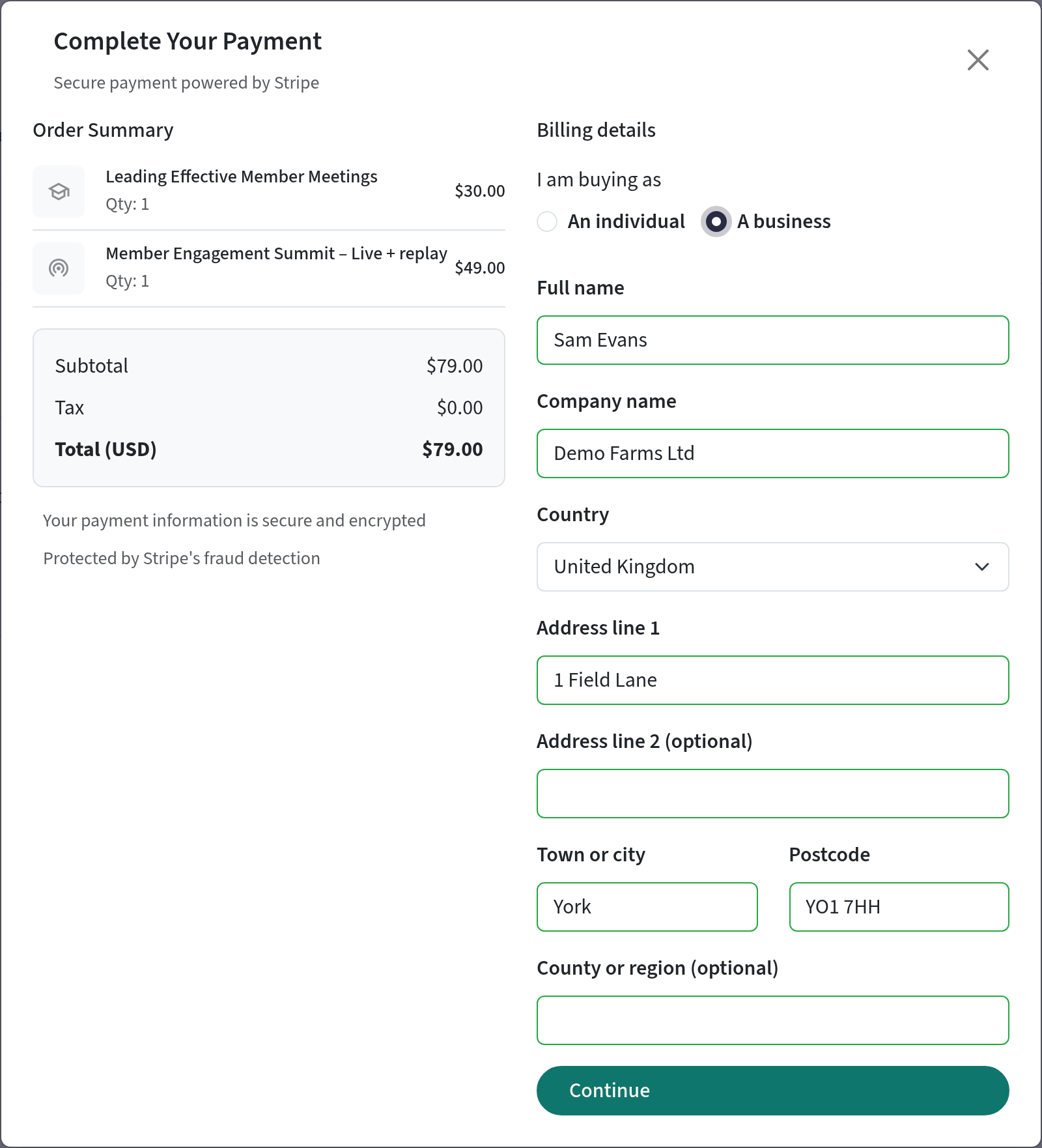
The billing step lists your country first. If your business is outside the UK, business buyers aren't asked for a VAT number, because you charge no VAT through Continuum.
-
Order history, order confirmation emails, invoices and credit notes show the currency code after the amount, for example $45.00 USD. That way two currencies that share a symbol, such as US and Canadian dollars, can't be confused. Amounts in pounds look as they always have, for example £45.00.
-
Invoices for sellers outside the UK are titled Invoice and don't mention VAT. UK sellers who aren't VAT registered still issue a Receipt. Invoices issued before you switched don't change.
Products priced in another currency
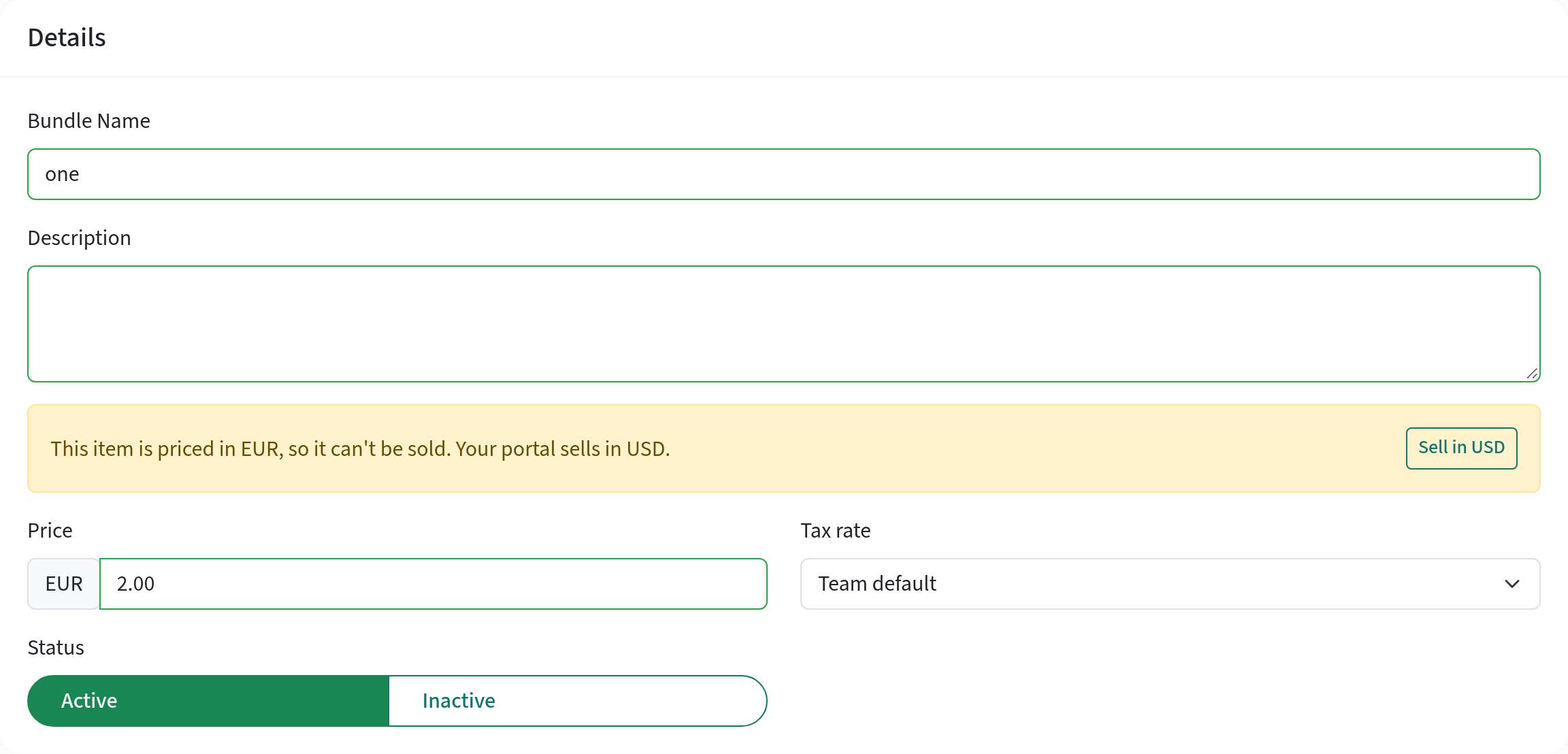
Every course, bundle and ticket is stamped with the currency it was priced in. When you switch currency, everything stamped in your old currency moves to the new one. A product stamped in some other currency, for example one copied in from another portal, stays as it is and can't be sold until you choose to sell it in your currency. Learners can't add it to the cart.
- The Selling currency card tells you how many products are affected.
- When you open one, a warning says This item is priced in EUR, so it can't be sold. Click Sell in USD (your currency) to sell it at the same number in your currency. Check the price afterwards.
- You can't change the price of such a product until you've done this.
Payouts and conversion fees
Stripe pays you in the currency of your bank account. If you sell in a currency your Stripe account has no bank account for, Stripe converts each sale and charges a conversion fee. To avoid it, add a bank account in your selling currency in your Stripe dashboard's payout settings. When the two currencies differ, the Selling currency card reminds you.
If you haven't connected Stripe yet and Continuum offers more than one country, the Payments page first asks Where is your business based? Stripe fixes an account's country when it's created, so choose carefully. If your Stripe account was started for the wrong country and you haven't finished setting it up, contact support to start again.
Tax
Continuum doesn't calculate sales tax, GST or VAT for sellers outside the UK yet. Your buyers are charged the price you set, with no tax added, and you are responsible for any tax you owe on your sales. Check with your accountant. UK sellers keep the VAT settings described in Selling courses.
Switch back to pounds
You can always switch back to pounds sterling the same way: click Change currency and choose Pound sterling (GBP). The same rules apply. Prices keep their numbers, the matching coupons are switched off, and orders already taken keep their currency.
Frequently asked questions
Can I sell the same course in pounds and in dollars?
Not yet. Each portal sells in one currency at a time. To charge different amounts to different groups of learners, use group prices in your selling currency.
Do my prices change when I switch?
The numbers don't. A course at 45.00 is sold at 45.00 in the new currency. Continuum doesn't convert prices with an exchange rate, so review them after you switch.
What happens to orders I've already taken?
Nothing. Each order, invoice, credit note and refund keeps the currency it was made in, and refunds are paid in that currency.
Why can't I change my currency?
The Selling currency card tells you why. Most often your billing details say you are a VAT registered business in the UK, which can't switch yet. If that's wrong, or you're based outside the UK, set your Country and VAT status, save, and try again.
Does Continuum charge US sales tax or GST?
Not yet. For sellers outside the UK, no tax is added at checkout. You are responsible for any tax you owe.
Why is my Stripe payout in a different currency?
Stripe pays out in your bank account's currency and converts each sale if needed. Add a bank account in your selling currency in Stripe to avoid the conversion fee.