
Contents
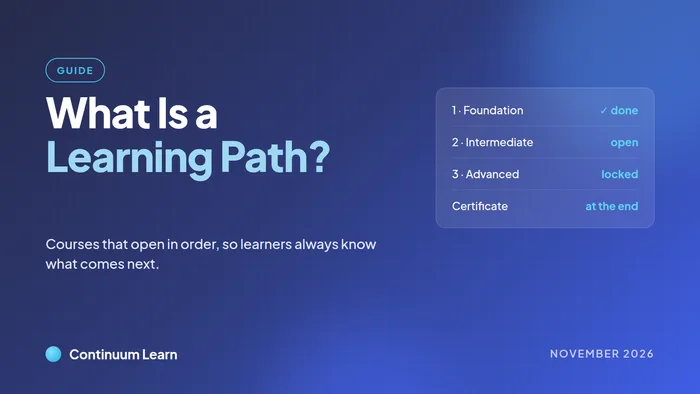
A learning path (or learning pathway) is a set of courses taken in a fixed order to reach one goal. The learner starts with the first course; when they complete it, the next one opens, and so on to the end, where they usually earn one certificate for the whole path. They can see every step from day one, so they always know what comes next and how far they have to go.
This guide covers how a learning path differs from a single course or a programme, when it is worth fixing the order, how to build one in seven steps, four examples, the mistakes that stop people finishing, and how to run one in Continuum Learn.
What is a learning path?
Most training is either a single course or a group of courses. A learning path is a group with one extra rule: the order is fixed. That rule changes what learners see and what they can start.
| Single course | Programme in any order | Learning path | |
|---|---|---|---|
| What it is | One course on one topic | A set of courses that earns one certificate | A set of courses taken in a fixed order |
| Order | Lessons in order, if you choose | The learner picks | Each course opens when the one before it is done |
| Good for | A single skill or topic | Core courses plus electives, "any 3 of 5" | Staged qualifications, inductions, a course series |
| At the end | A course certificate | One programme certificate | One certificate for the whole path |
A learning path is not the same as a course with lessons in order. A course with sequential lessons guides someone through one topic; a learning path guides them through several courses, each of which may have its own quiz, attendance or sign-off before it counts as complete.
When should courses open in order?
Fixing the order helps when a later course genuinely depends on an earlier one, or when the order is part of the requirement:
- Staged qualifications. Foundation, Intermediate and Advanced levels, where each level assumes the one before it.
- Inductions and onboarding. Safety and policy courses first, then role-specific training.
- Safety-critical sequences. Where someone must understand the hazard before learning the procedure.
- A course series you sell. One product, delivered a step at a time, so buyers are not overwhelmed on day one.
It gets in the way when learners arrive with very different experience, when the courses are reference material people dip into, or when the goal is "any three of these five". For those, let learners take the courses in any order and award the certificate when they have done enough.
How do you build a learning path?
- 1. Start from the goal. Write down what someone can do at the end: pass an assessment, work unsupervised, hold a qualification.
- 2. List what they need to know to get there. Use the courses you already have where you can; a path is often built from existing courses.
- 3. Order by dependency, not by preference. A course goes after another only if it needs it. If two courses do not depend on each other, the order between them is a choice, so keep it short.
- 4. Mark each step required or optional. Required steps make up the path. Optional steps are useful extras that should never hold anyone up.
- 5. Decide what "complete" means for each step. Finishing the lessons, passing a quiz, attending a session or being signed off by an assessor. The next step opens only when that is met.
- 6. Decide how people join. Assign it to the people who need it, let anyone in your organisation enrol, or sell it as one product.
- 7. Take it as a learner. Enrol a test account and walk the whole path before anyone else does.
Learning path examples
| Path | Steps, in order | Why the order matters |
|---|---|---|
| New starter induction | Fire safety awareness, manual handling, data protection, then customer service (optional) | Safety first, before anyone is on the floor |
| Staged qualification | Foundation, Intermediate, Advanced | Each level assumes the one before it |
| Course series you sell | Beginner, Improver, Advanced, sold as one product | Buyers get the next course when they are ready for it |
| Professional pathway | Two core courses in order, then electives | Core knowledge first; electives can follow interests |
Mistakes that stop people finishing
- Hiding the locked steps. In our experience, people plan their time better when they can see the whole route. Show every step, with the locked ones marked and a line saying what opens each.
- Locking things that do not depend on each other. Each lock is one more point where someone can stall. Lock only where the order matters.
- Making extras compulsory. Nice-to-have courses belong as optional steps, after the required ones.
- Making experienced people start at step one. Credit prior learning so they begin where they should.
- Contradicting your own prerequisites. If course B requires course A, a path that puts B first can never be finished. Check the order against the prerequisites you already set.
- Expecting a lock on content anyone can open. A course that is free to everyone in your catalogue, or open without signing in, cannot really be locked for people who are not on the path.
How do learning paths work in Continuum Learn?
In Continuum Learn a learning path is a programme with its Order of study set to In order. The details below come from our learning paths help guide.
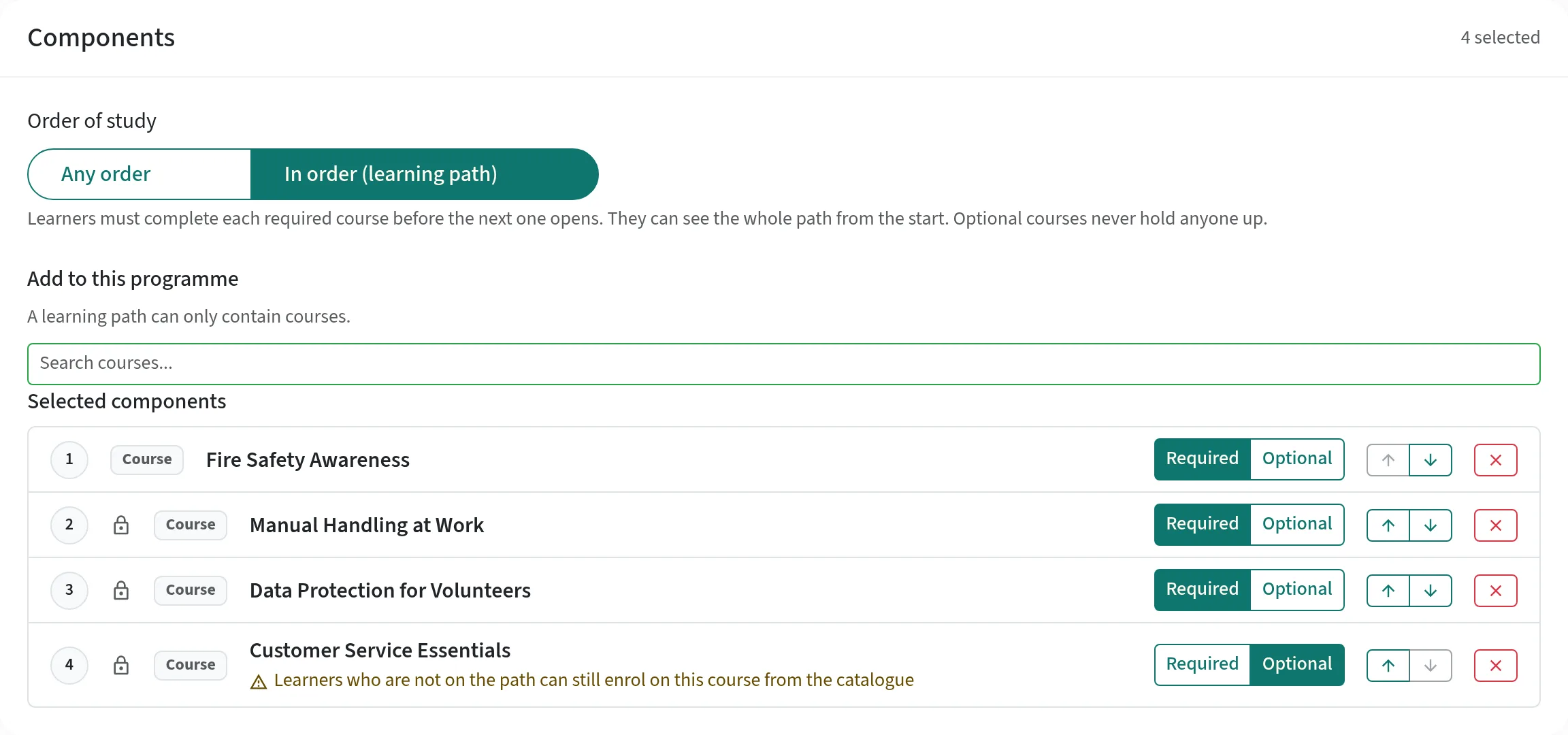
- Set it up in the programme editor. Add your courses, use the arrows to set the order, and mark each step Required or Optional. The editor warns you about any step a path cannot really lock, and refuses an order that contradicts a prerequisite or another path.
- The next course opens by itself. A learner who joins is enrolled on the first required course. When they complete it, they are enrolled on the next one straight away. A course counts as complete the same way it does for the certificate, including quiz passes, attendance and sign-off.
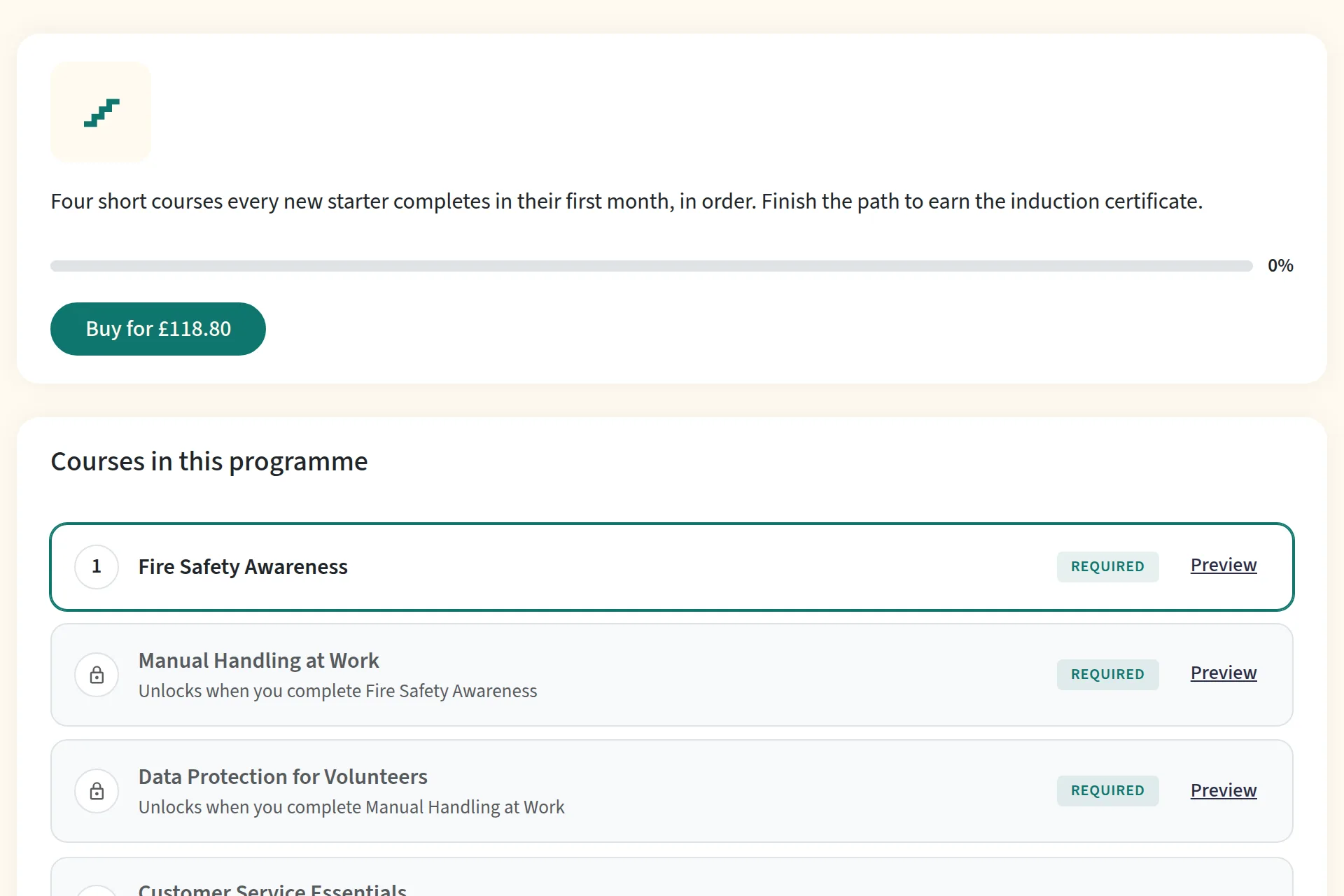
- Learners see the whole path. The programme page shows every step as complete, open or locked, with a line saying what unlocks each one.
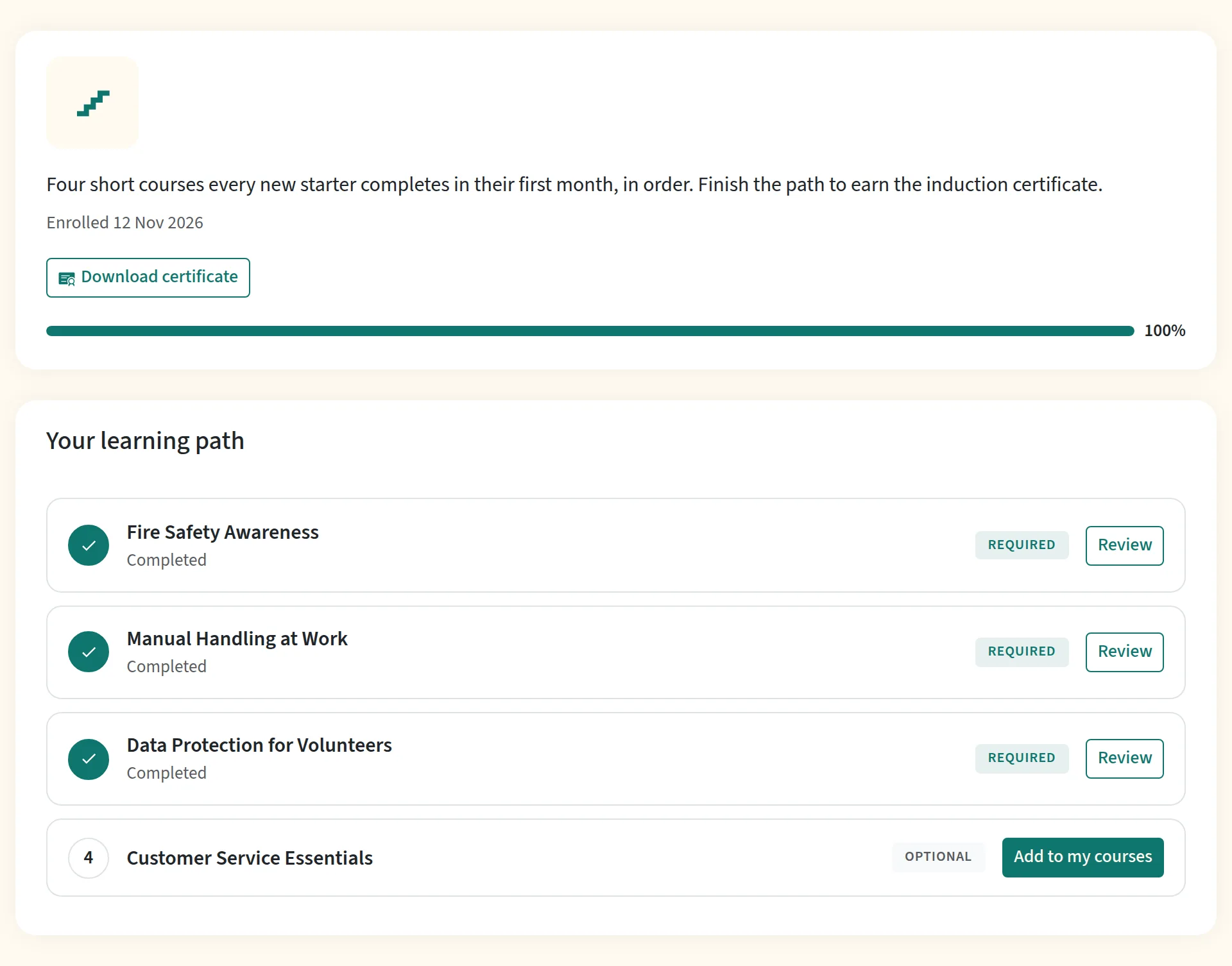
- Optional steps never hold anyone up. They open once the required steps before them are done, and the learner adds them with Add to my courses.
- One certificate at the end. It is awarded when the completion rule is met, like any programme certificate.
- Assign it, open it, or sell it. Enrol people on the Learners tab, allow self-enrolment, or add the path to a bundle with one price.
- Nobody loses access. A learner who already has a later course keeps it, and an admin can credit a course someone has done elsewhere so the next step opens.
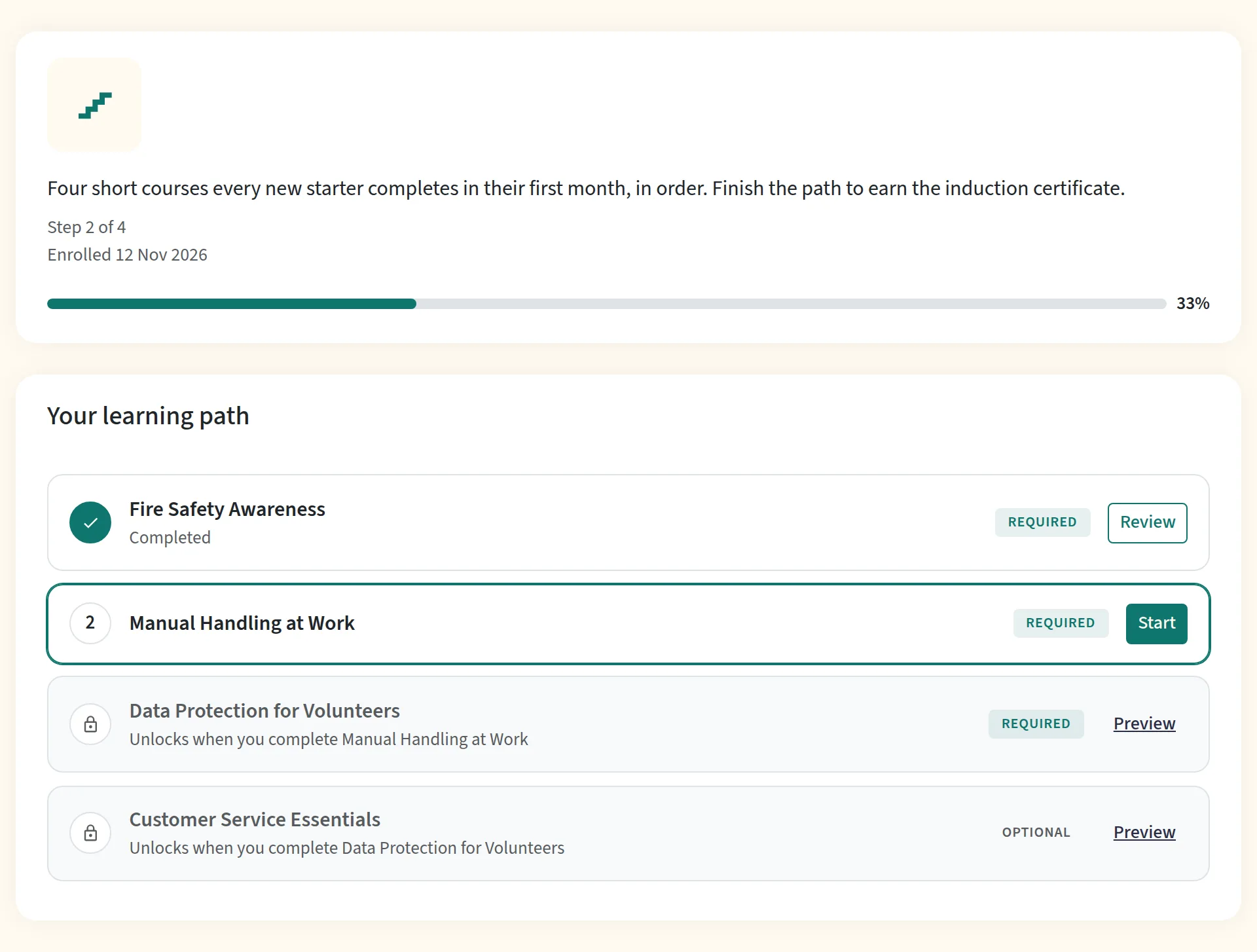
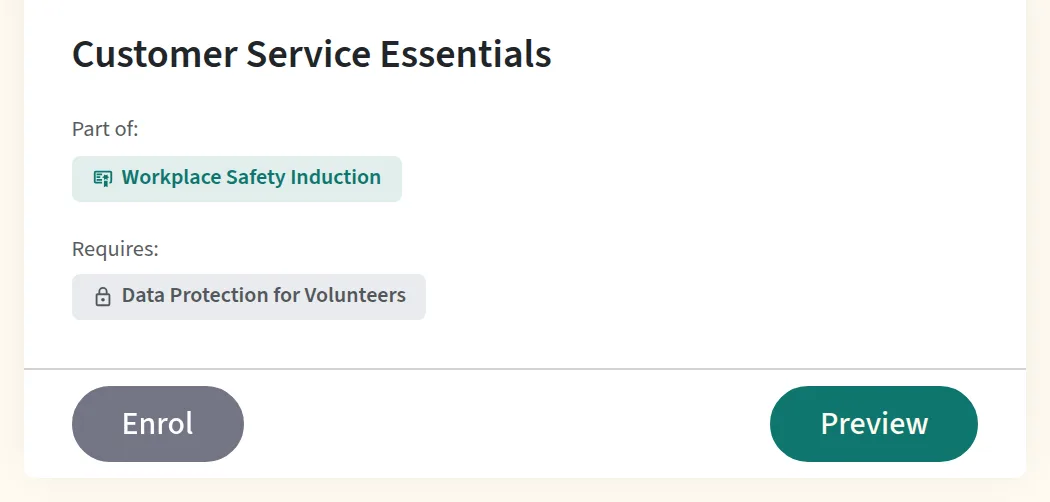
The same steps appear on the learner's dashboard, and a locked course in the catalogue shows the step it is waiting for under Requires, with its Enrol button switched off.
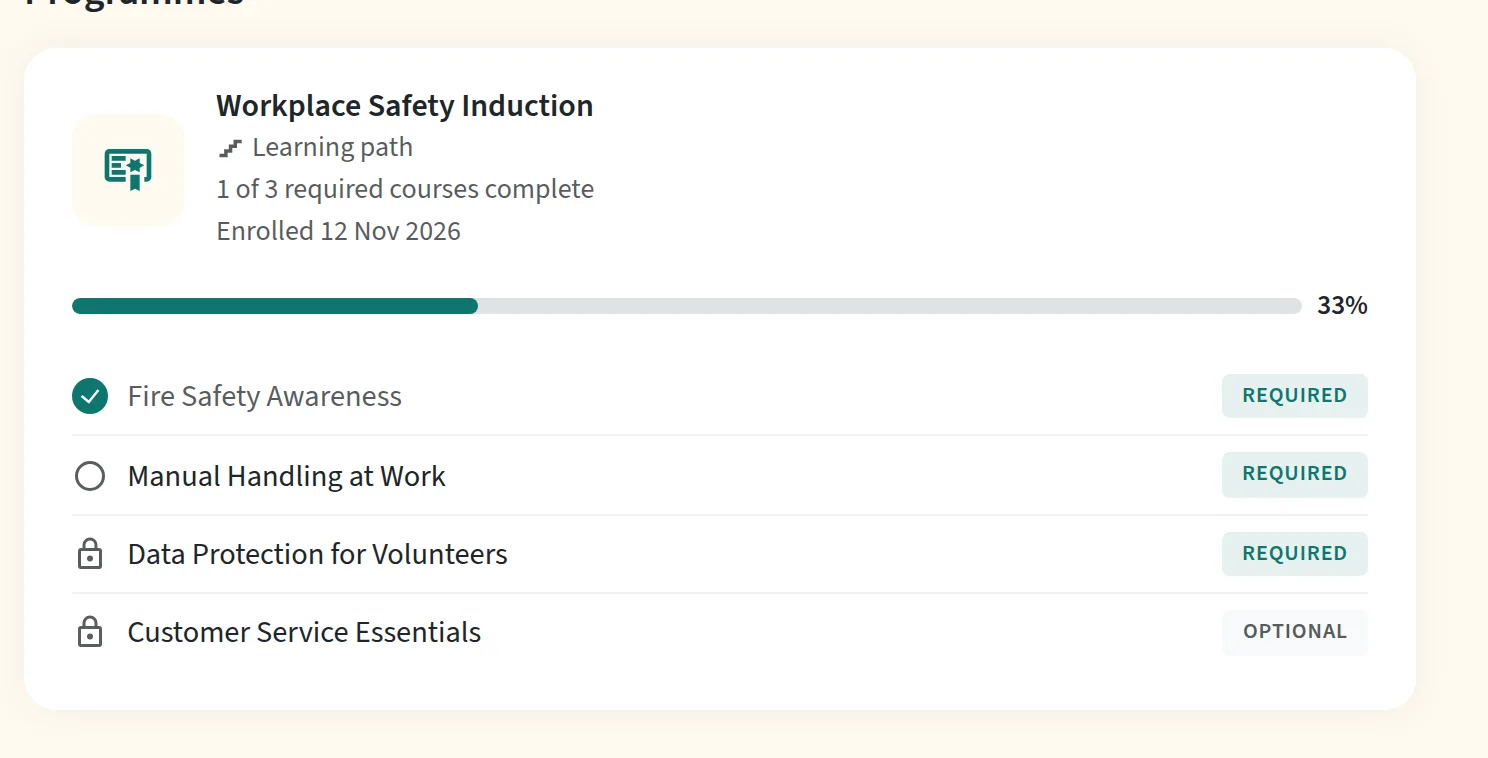
When the completion rule is met, the certificate is ready to download and any optional step is waiting to be added.
To sell a path, add it to a bundle and share the path's link: a path you only sell isn't listed in the catalogue yet. Signed-in members who open the link see every step and a Buy button with the price, and buyers get the first course straight away.
Conclusion
A good learning path is short, ordered only where the order matters, and visible from start to finish. Build it from the goal backwards, keep extras optional, and walk it yourself before you launch it. To set one up in Continuum Learn, follow the learning paths guide, or see how programmes and certificates work.
Frequently asked questions
What is a learning path?
A learning path is a set of courses taken in a fixed order to reach one goal, such as a qualification or being ready for a role. Each course opens when the learner completes the one before it, and the learner can see the whole path from the start.
What is the difference between a learning path and a curriculum?
A curriculum is everything someone could study for a subject, often with choices. A learning path is one route through it in a set order. In an LMS, a programme that lets learners take its courses in any order is closer to a curriculum; a learning path decides the order for them.
How many courses should a learning path have?
As few as reach the goal. In our experience, three to six short courses suit an induction or a staged qualification. If a path needs many more, split it into two paths, so learners finish something along the way.
Can learners skip a step they already know?
They should be able to. Give credit for prior learning instead of making experienced people repeat a course. In Continuum Learn an admin credits the course to the learner, and the next step opens for them.
Can you sell a learning path?
Yes. In Continuum Learn you add the path to a bundle and set one price. Buyers are enrolled on the path and get the first course straight away; the rest open as they go.
Found this useful? Share it with your network
Ready to transform your training?
See how Continuum Learn helps organisations deliver impactful learning experiences at scale.