
Contents
Since our autumn round-up we have shipped some of the biggest additions to the platform this year: compliance training that renews itself, courses that open in order, an AI tutor for learners, and a much fuller set of selling tools. Here is the tour, with a link to the step-by-step guide for each.
Recurring training and a live training matrix
Some courses have to be taken again every year or two: fire safety, safeguarding, data protection. A training requirement now handles that for you. Choose the course, who it applies to, and whether it repeats a number of months after each completion or on a fixed date every year. Continuum then:
- enrols the learners and emails them before and after the due date, at 08:00 in the requirement's time zone;
- reopens the course for each renewal, keeping the earlier progress on record rather than deleting it;
- issues a new numbered certificate for every cycle (when the course awards one), with its own expiry date;
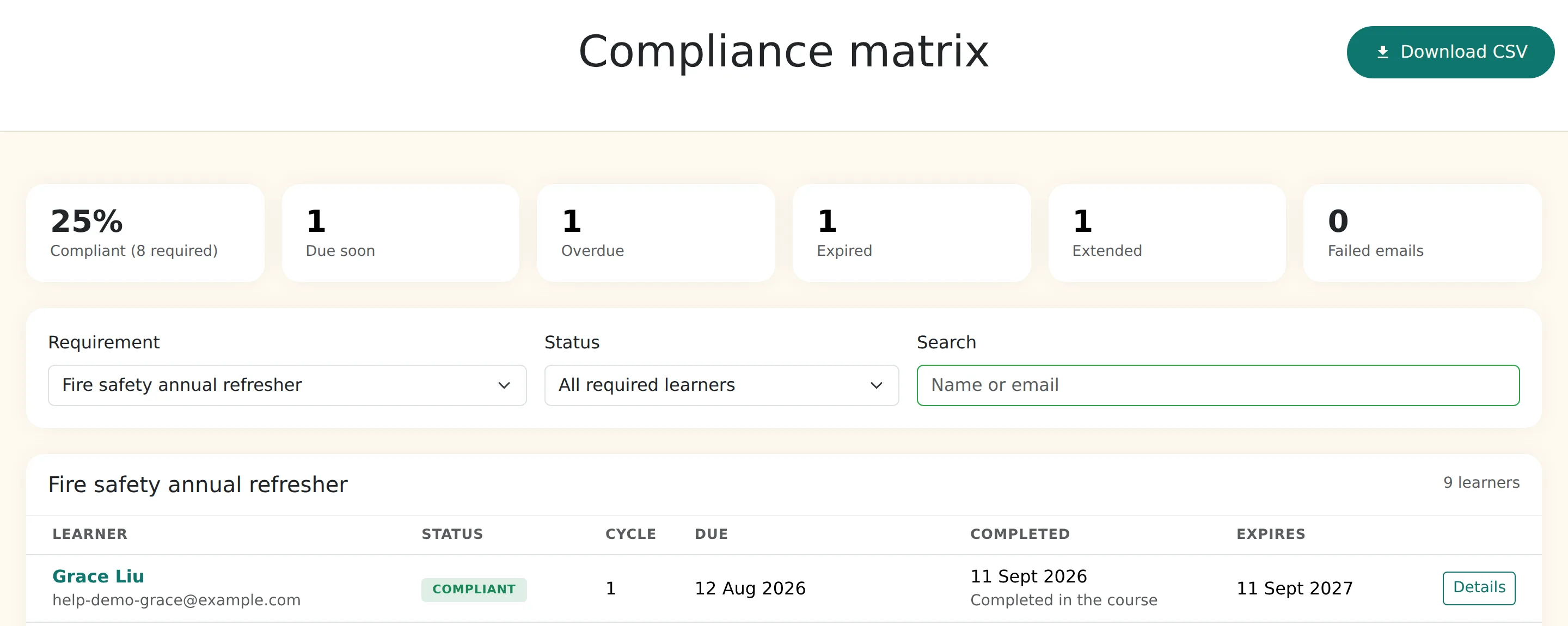
- shows everyone's status in a compliance matrix with filters and a CSV export, where you can also record training done elsewhere, extend a deadline or exempt someone.
Line managers get a My team page with each report's progress, quiz scores, certificates and required training, and a button to send a reminder. Managers can also invite someone to report to them, and the invitee accepts or declines. See the recurring training guide and compliance training with a live matrix.
Learning paths: courses that open in order
A programme can now be set to In order. Learners see every step from day one, each course opens when they complete the required one before it, and optional courses never hold anyone up. The path is assigned, opened for self-enrolment or sold as one bundle, and still awards one certificate at the end.
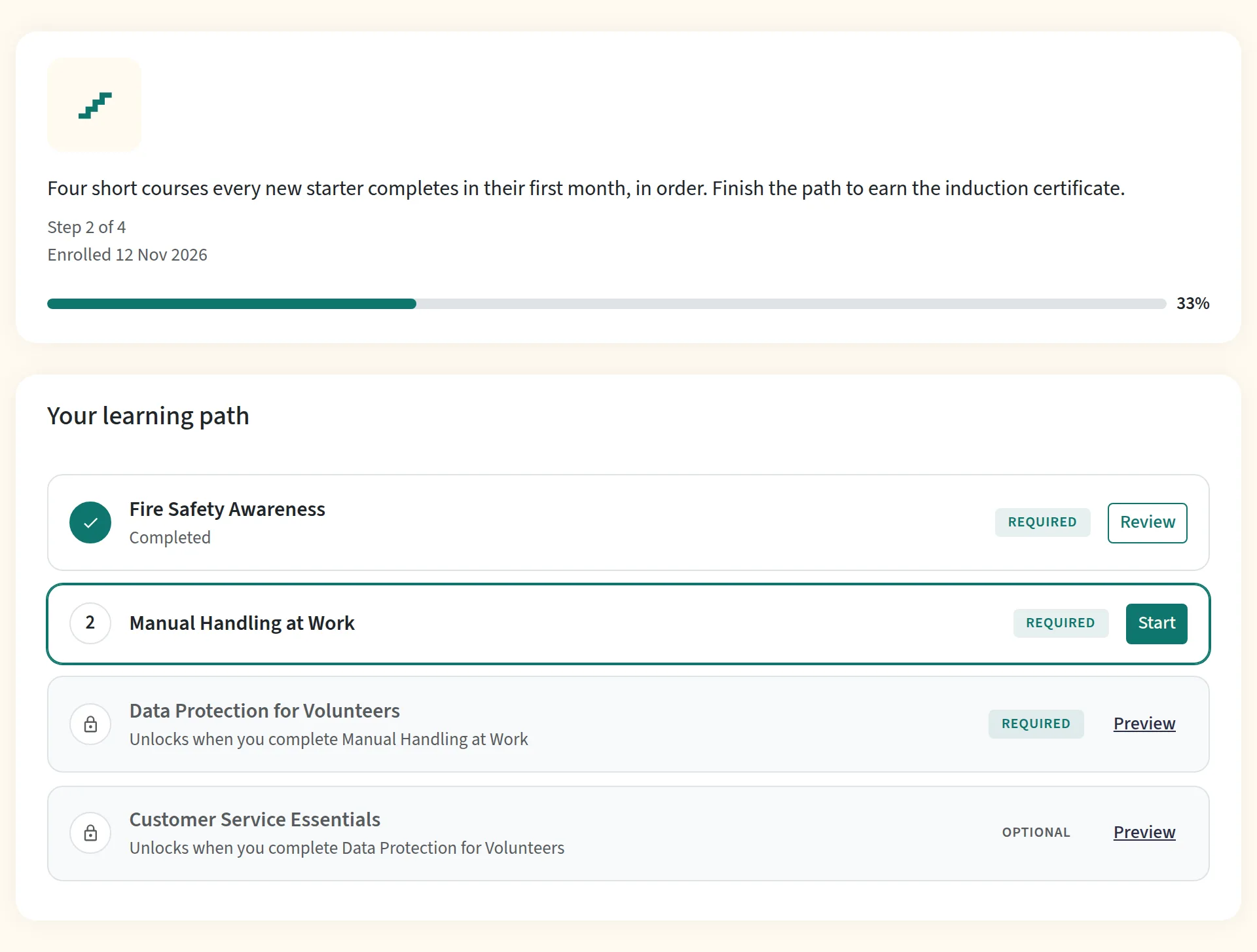
For a learner on the path, a locked course shows the step it is waiting for in the catalogue and on its landing page, and checkout won't sell it to them on its own until it opens. Read what a learning path is and how to build one, or go straight to the learning paths guide.
Quiz explanations and answer review
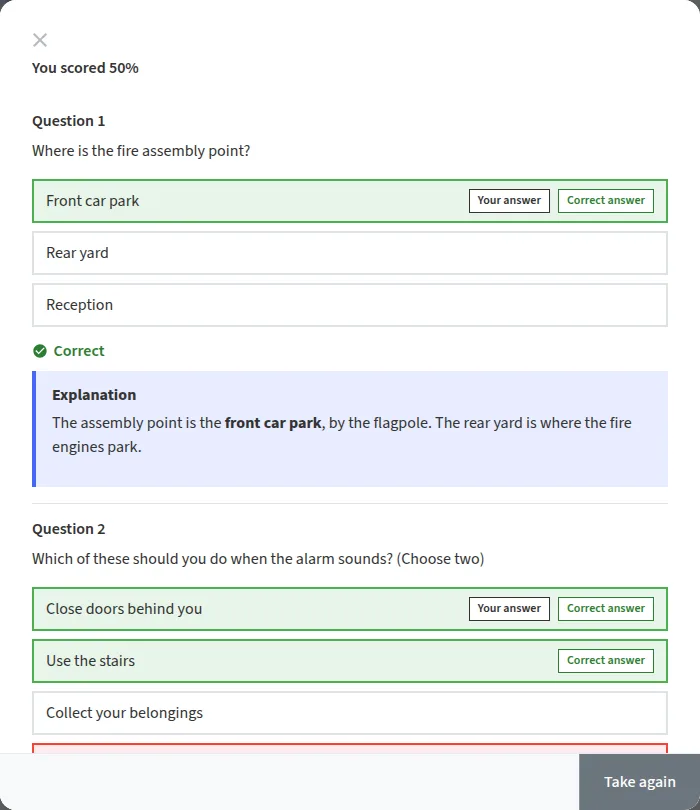
Every quiz question can now carry an explanation: why the right answer is right. A new setting on each quiz decides whether learners can review their answers afterwards: never (the default), only once they pass, or after every attempt. The review shows the learner's answer, the correct one and the explanation, question by question.
We also changed how quizzes inside course lessons are delivered: the correct answers are no longer sent to the learner's browser before they submit, and marking happens on our servers. See quiz review and explanations.
An AI tutor that answers from your course
Learners can now ask an AI tutor questions in their own words while they study. It answers only from the text of the course they are taking, links to the lesson each answer came from, and says so when the course doesn't cover a question rather than guessing.
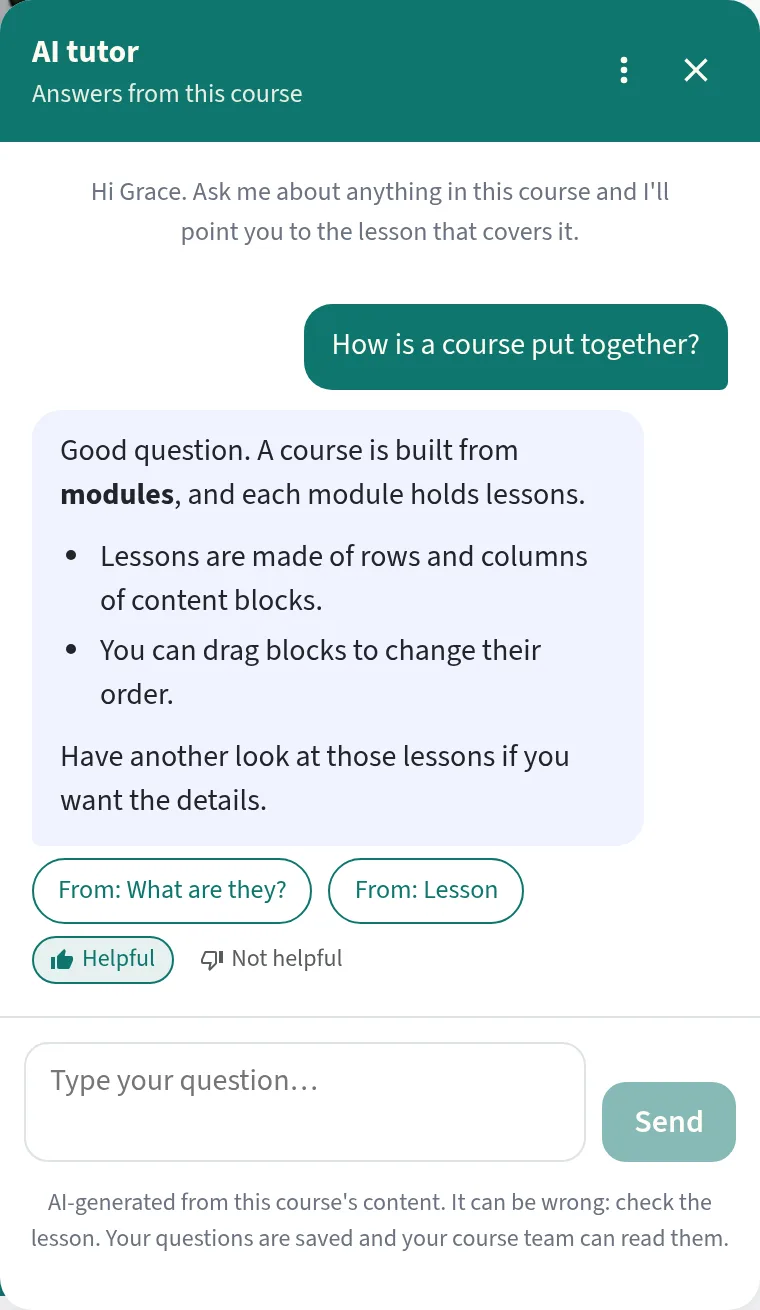
- It never sees your quizzes, choice questions, question banks or surveys, so it has no answer key to give away.
- It only reads the text of lessons the learner can already open, and you can leave any lesson out.
- A team admin allows it, authors switch it on course by course, and admins can read the conversations.
See the AI tutor guide.
Selling: discount codes, VAT invoices and a choice of 11 currencies
Selling courses, bundles and event tickets got a full set of tools:
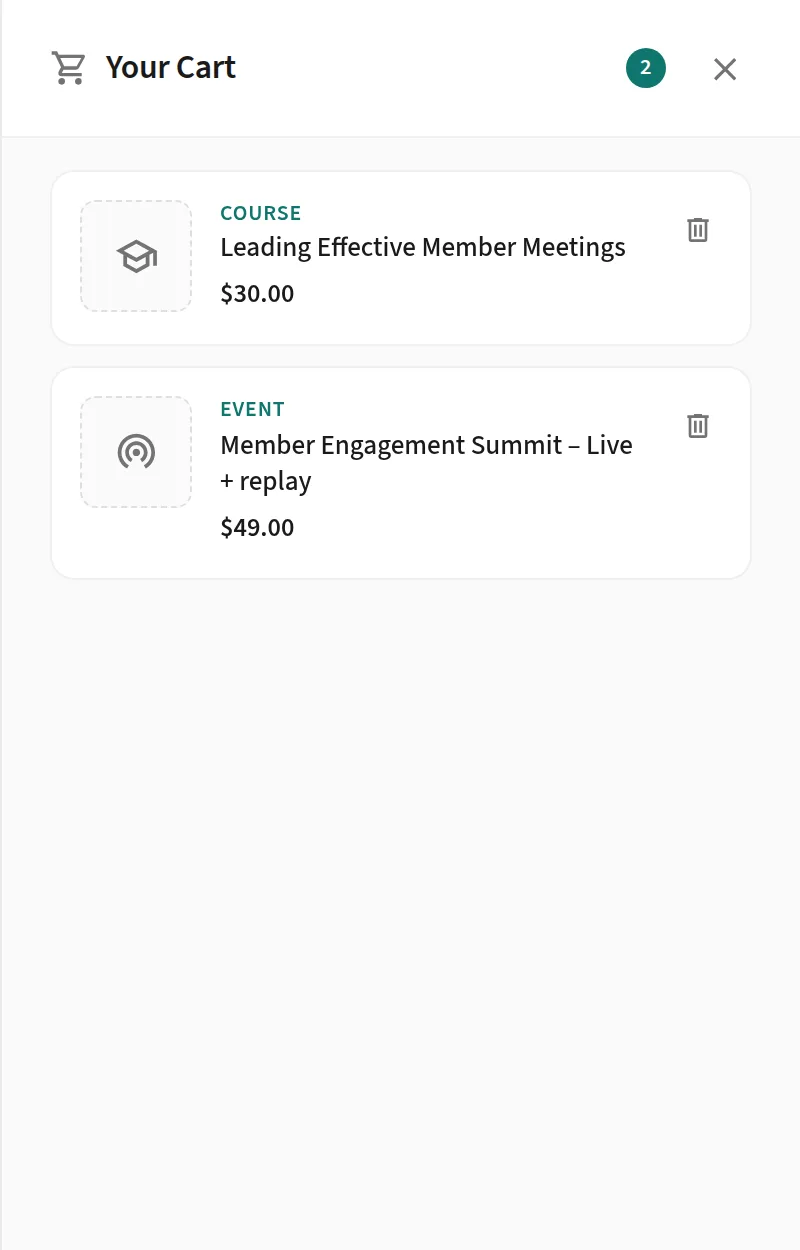
- Discount codes: a percentage or a fixed amount, with usage limits, date windows and the items each code covers.
- VAT and invoices: tax rates per product, billing details at checkout, and numbered invoices and credit notes for teams that switch them on.
- Refunds: full and partial refunds are recorded against the order, with a credit note when invoices are on.
- Other currencies: each portal sells in one currency, pounds by default. Sellers outside the UK, and UK sellers who are not VAT registered, can switch to US dollars, euros or one of the other supported currencies, 11 in all. Continuum calculates UK VAT only; sellers elsewhere handle their own tax.
- Sellers in 20 countries, including the UK, can now connect their own Stripe account, so the money goes straight to them.
Digital badges learners can share
A course or programme can now issue a digitally signed Open Badges 3.0 credential alongside its PDF certificate. Learners add it to LinkedIn, put the verification link on their CV or CPD record, or save the badge to a wallet, and an employer can check it is genuine in one click.
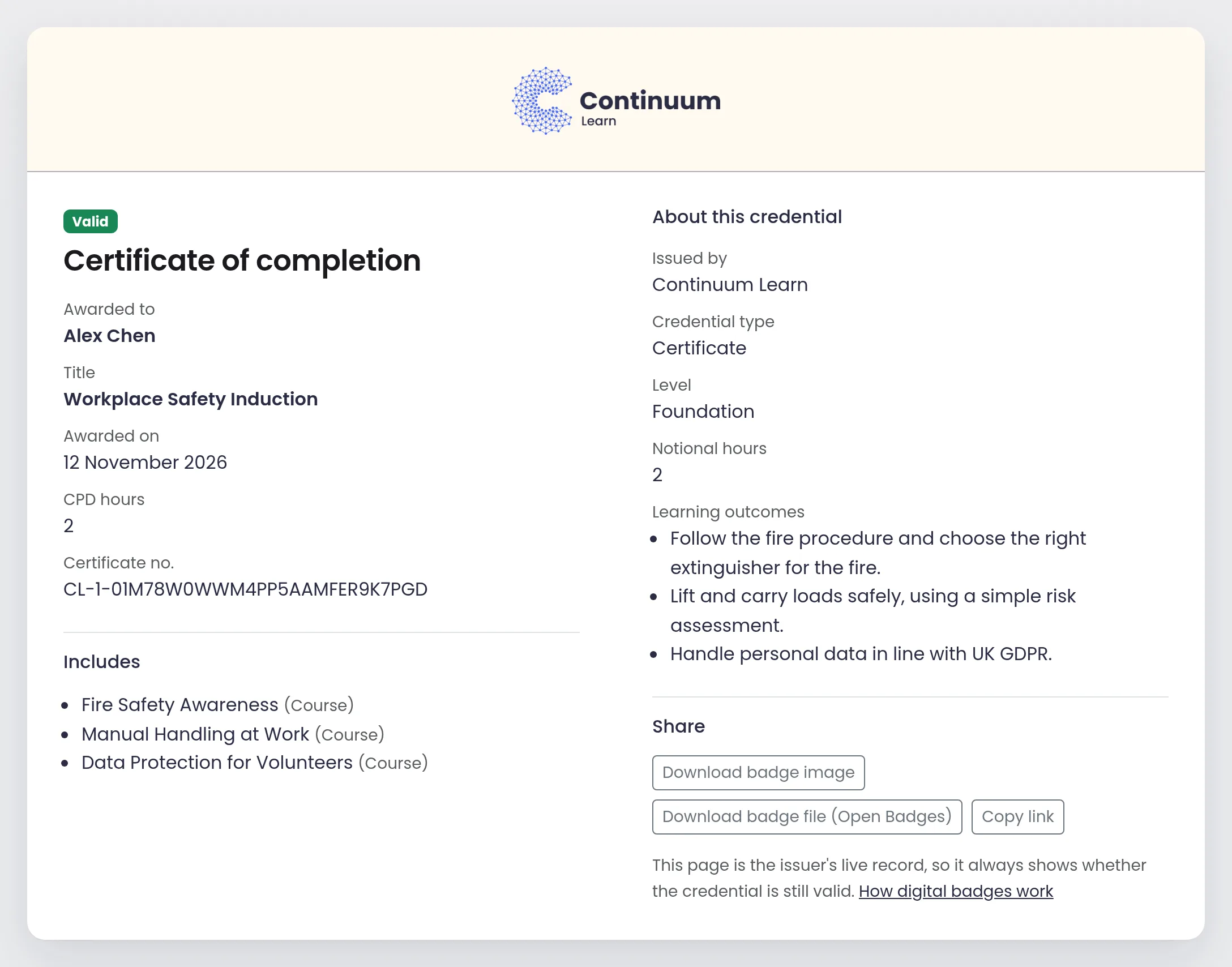
See digital badges and micro-credentials and the set-up guide.
Your training on your own website, and in your other systems
- Website embeds: a generator gives you a short snippet for any website, showing live course and event cards, buy buttons or a whole publication, with a preview before you copy it.
- API v2: named API keys with the permissions you tick, for catalogue, users, groups, enrolments, progress, credentials and orders.
- Webhooks: enrolments, completions and other events sent to your other systems, signed, with a delivery log and redelivery.
- Sign-in links: single-use links so a member portal can send people straight into their learning.
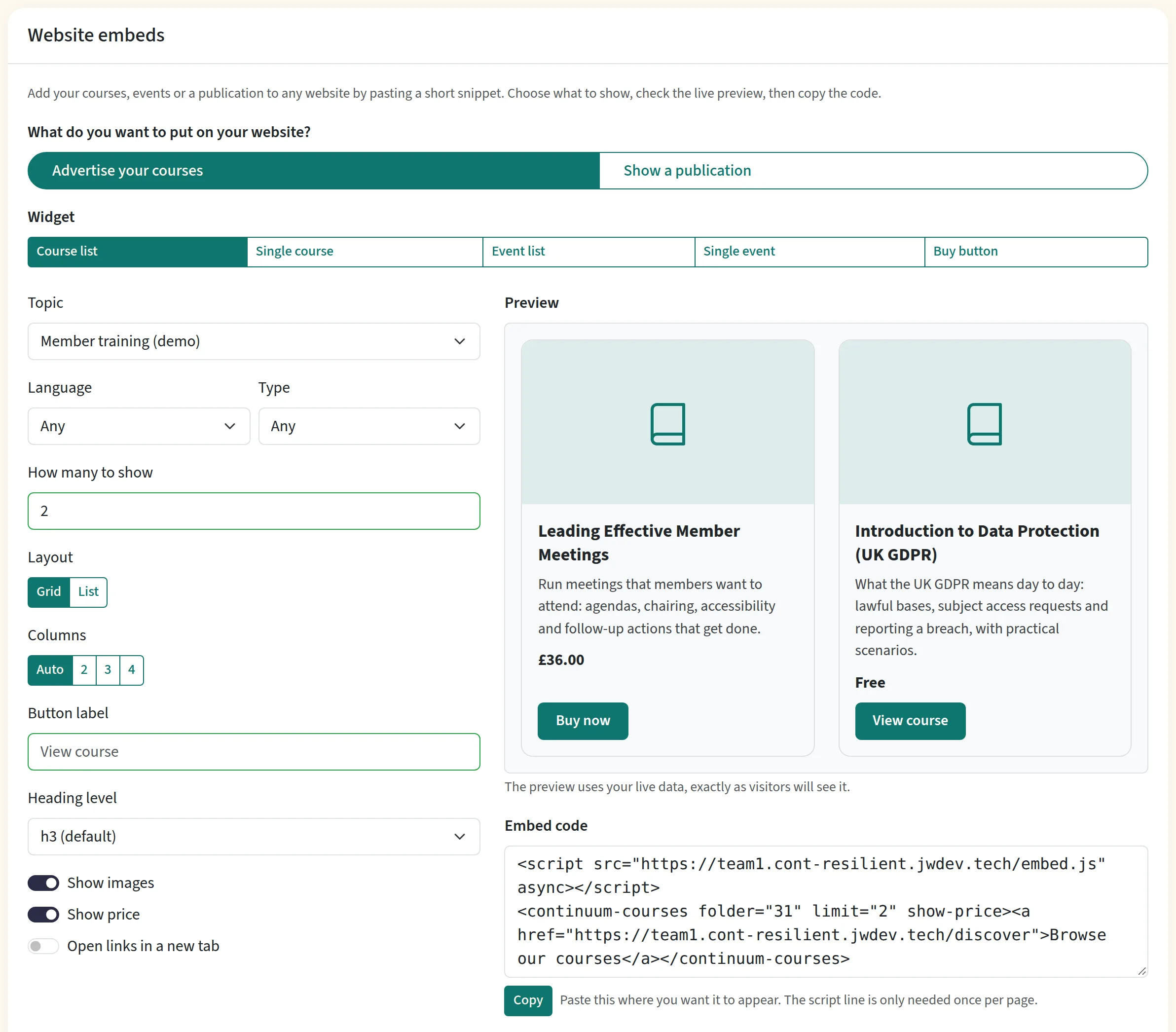
See website embeds, API keys, webhooks and the developer documentation.
Course pages that say what learners will get
The course overview now leads with the facts people look for: how long it takes, how many lessons and quizzes, whether there is a certificate and how many CPD hours it carries, and the date and place for live courses. A new What you will learn list sits beside it. Write the outcomes yourself or let AI suggest them from your course. The lessons follow as a numbered outline that doubles as the learner's progress.
Finding things faster
- Search for staff: press Ctrl+K (Cmd+K on a Mac) to search pages, settings, courses, help guides and, for admins, people from anywhere.
- A public help centre with step-by-step guides for the features in this post, and a Help assistant in Create and Manage that answers questions from those guides.
Smaller improvements
- Admins can now use the presenter area on any course to follow learners, confirm attendance and sign people off.
- Programmes can credit a course someone completed elsewhere (recognition of prior learning), and enrolments can carry an intake label such as "Spring 2027".
- On a live or in-person course, confirmed attendance now earns the certificate.
- A group's page shows the courses assigned to it, and you can change them there.
- Courses written by other AI tools can be imported as JSON, and courses made with our AI course creator have a cleaner, more visual design.
- Tighter permission checks across staff pages.
Conclusion
Everything here is part of Continuum Learn now. Some features are switched on per team or per course, and each guide above says how. If you would like a walkthrough of any of it, book a demo.
Found this useful? Share it with your network
Ready to transform your training?
See how Continuum Learn helps organisations deliver impactful learning experiences at scale.